You can generate the DNS Records Report at the organization level in CSV format.
The report provides the following information for each asset within the organization:
- Hostname
- IP addresses
- DNS record type
- DNS record value
Note: The DNS Records Report is only available when Asset Inventory is enabled for your organization. If you do not see this report option, visit Bugcrowd Support and create a support ticket.
Note: If you are an organization owner or a part of the organization, you can create, view, or download the DNS Records Report.
Generating a DNS Records Report
To generate a DNS Records Report:
-
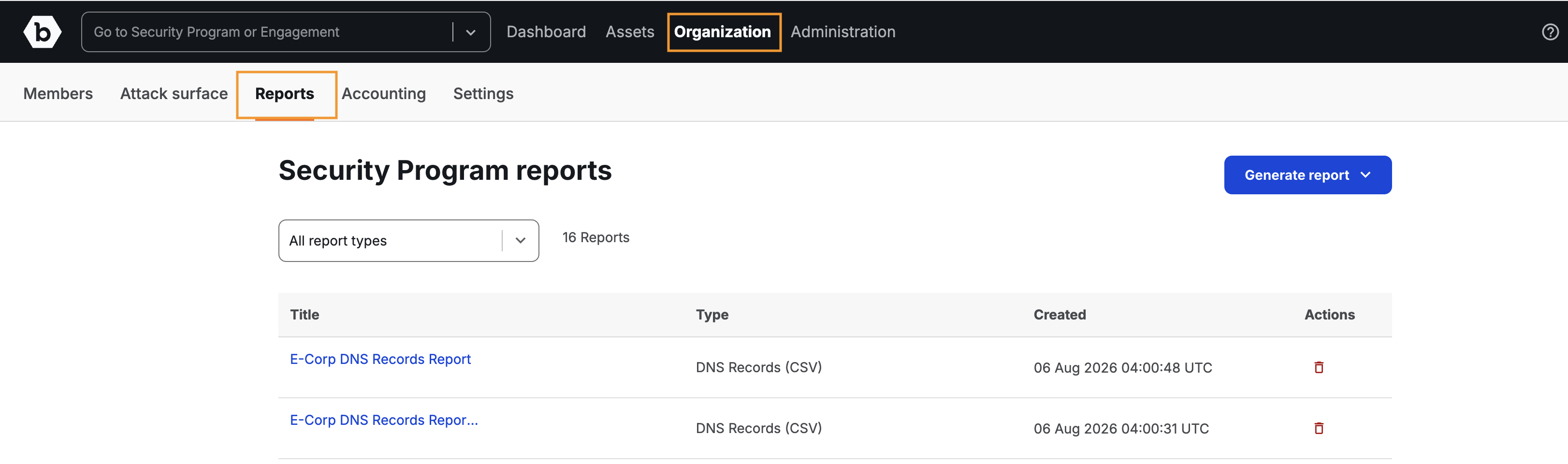
After logging into Crowdcontrol, go to Organization and then click the Reports menu.
The Reports page is displayed.
-
Click Generate report and then click DNS records (csv).
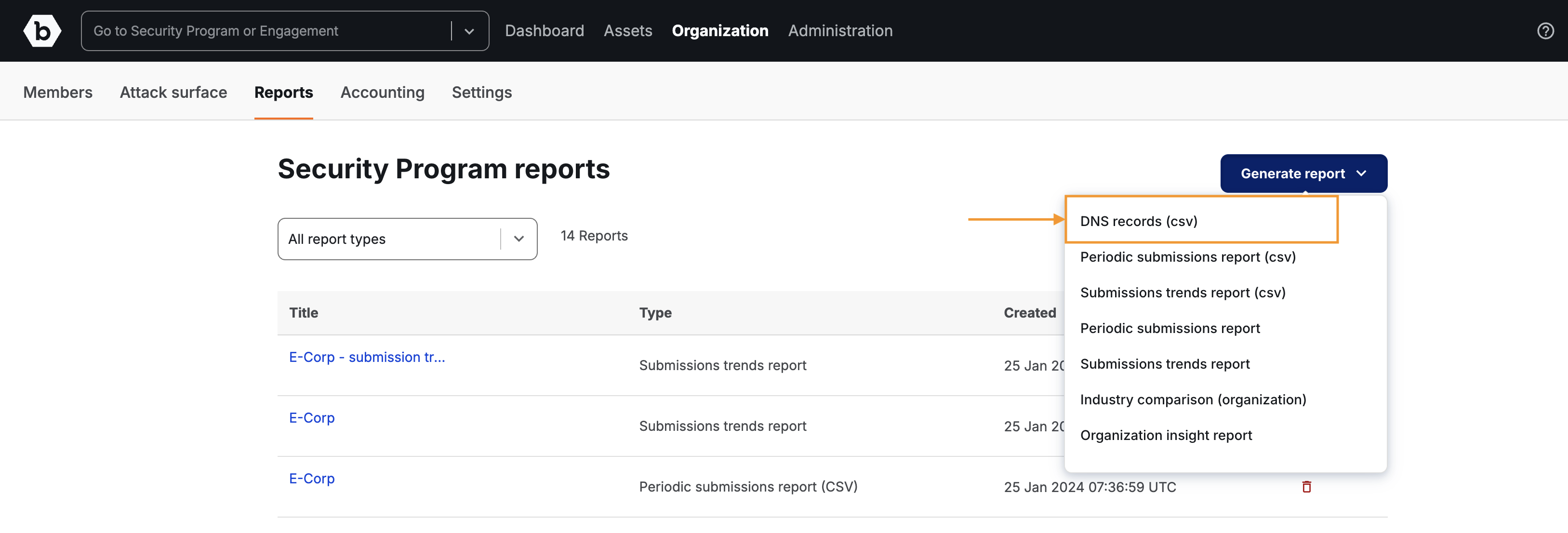
The Create DNS Records (CSV) page is displayed.
-
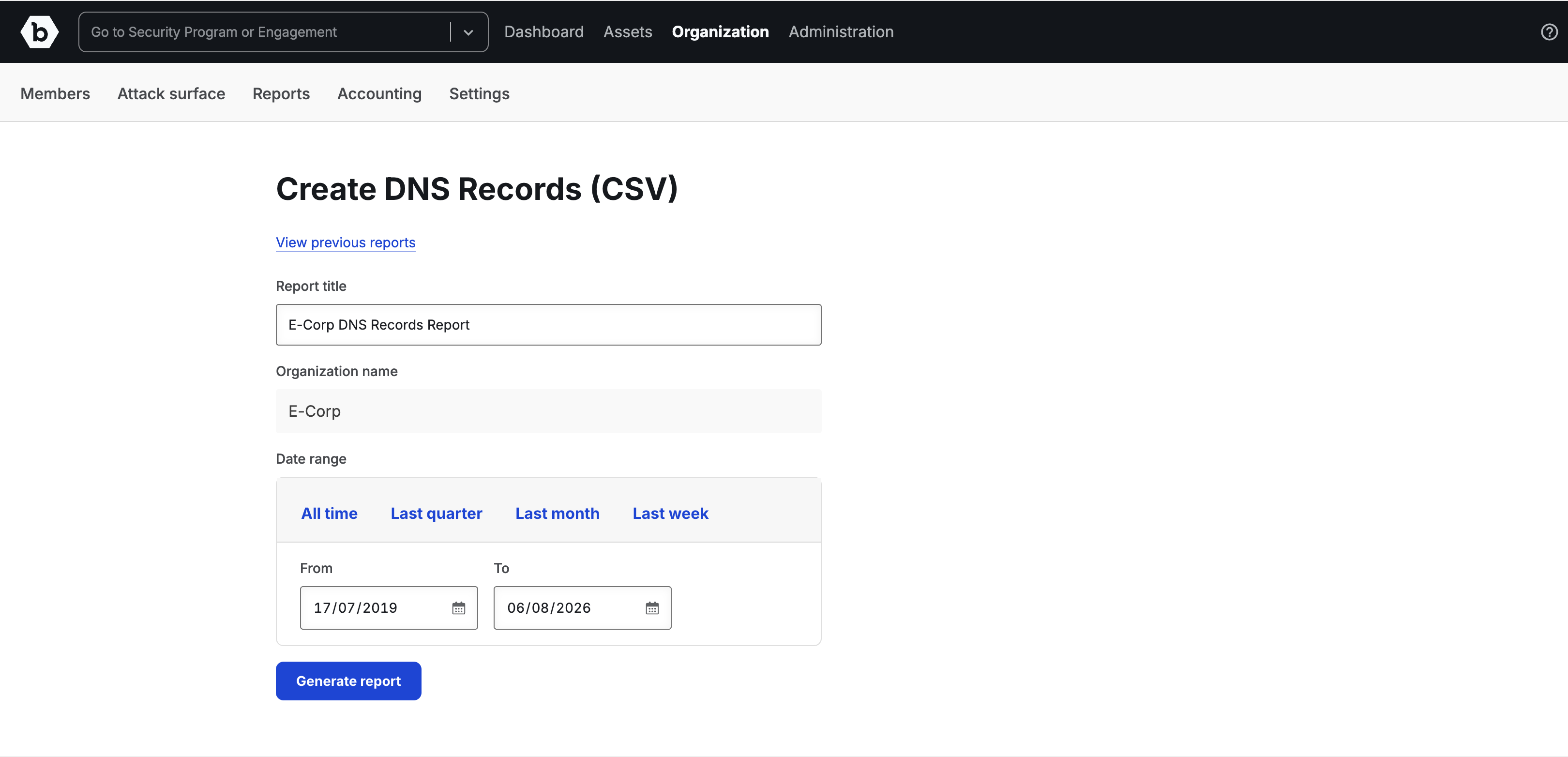
Specify the following information:
- Report title: Provide a name for your report. The title is pre-filled with your organization name, the label DNS Records Report, and today’s date. You can edit this.
- Organization name: Displays the organization name for which you want to generate the report. This is read-only.
-
Click Generate report. You will receive an email to download the report.
The generated report is displayed as a link on the Reports page. Refresh the page to view the link.
-
Click the link to view the report details. The report will be downloaded to your system as a CSV file.
The downloaded file is named in the format
{organization-name}-DNS-Records-{date}.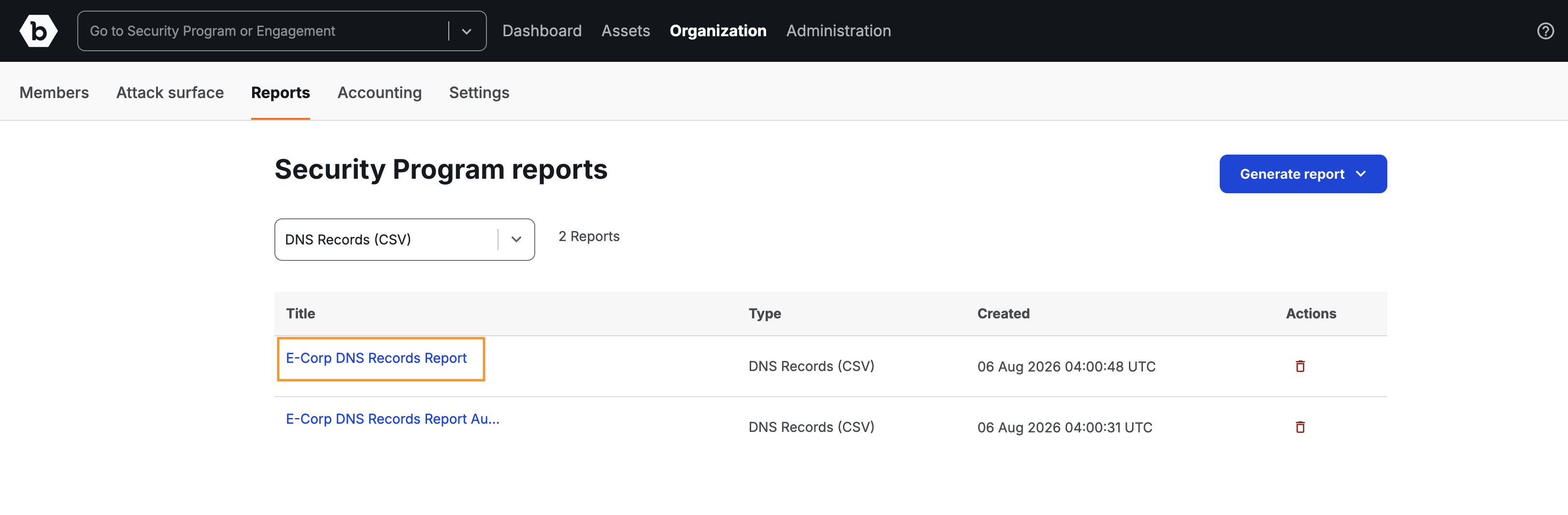
DNS Records Report Column Definitions
The following table describes each column in the DNS Records CSV report:
| Column | Description |
|---|---|
| Hostname | The fully qualified domain name (FQDN) of the asset, such as subdomain.example.com. This identifies the specific domain or subdomain associated with the DNS record. |
| IP Addresses | The IP address resolved from the hostname, if applicable. This is populated for A records (IPv4) and AAAA records (IPv6) and represents the network location of the asset. |
| DNS Record Type | The type of DNS record associated with the asset. Common values include A (IPv4 address), AAAA (IPv6 address), CNAME (canonical name alias), MX (mail exchange), NS (name server), TXT (text), SOA (start of authority), CAA (certification authority authorization), DS (delegation signer), DNSKEY (DNS public key), and PTR (pointer). |
| DNS Record Value | The value configured for the DNS record. For A records, this is an IP address. For CNAME records, this is the target domain. For MX records, this is the mail server hostname. For TXT records, this is the raw text content of the record. |