- Enabling the CVSS Calculator
- Mapping CVSS to Bugcrowd’s Technical Severity
- Adding a CVSS Score and Severity
- Upgrading from CVSS 3.1 to 4.0
The Common Vulnerability Scoring System (CVSS) provides a way for you to rate the severity of the vulnerabilities discovered in your application. It calculates a score using base metrics to help you determine the priority level for a reported vulnerability. Bugcrowd includes a CVSS Calculator that you can use to generate a score using base metrics, which represent the most intrinsic characteristics of a vulnerability.
Our calculator supports both CVSS 3.1 and CVSS 4.0 Base Metrics.
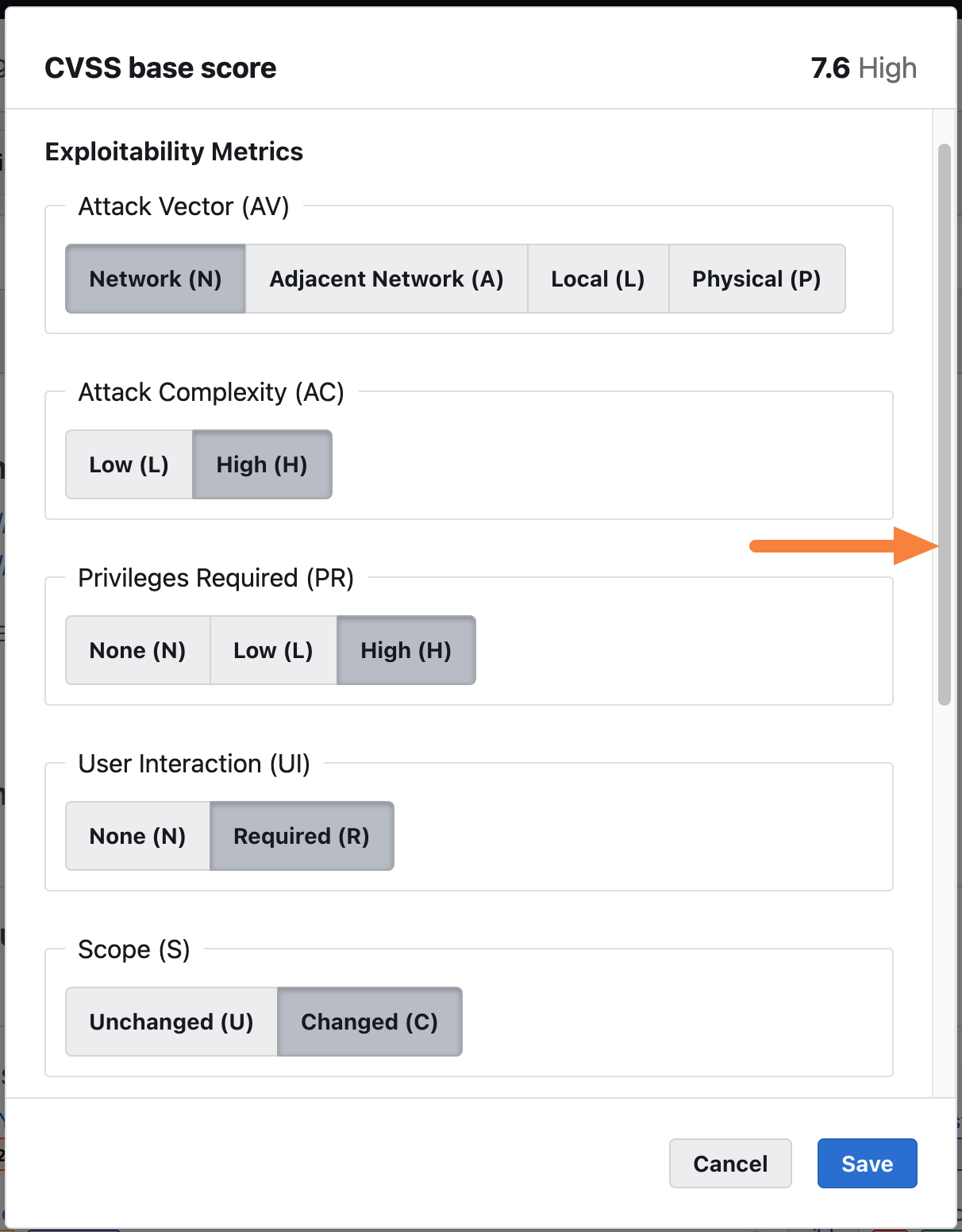
Base metrics measure the impact and exploitability of a vulnerability, which include the attack vector (AV), attack complexity (AC), privileges required (PR), user interaction (UI), scope (S), confidentiality impact (C), integrity impact (I), and availability impact (A).
To learn more about the base metrics, please see Common Vulnerability Scoring System Version 3.1 Calculator.
Enabling the CVSS Calculator
To enable the CVSS calculator:
-
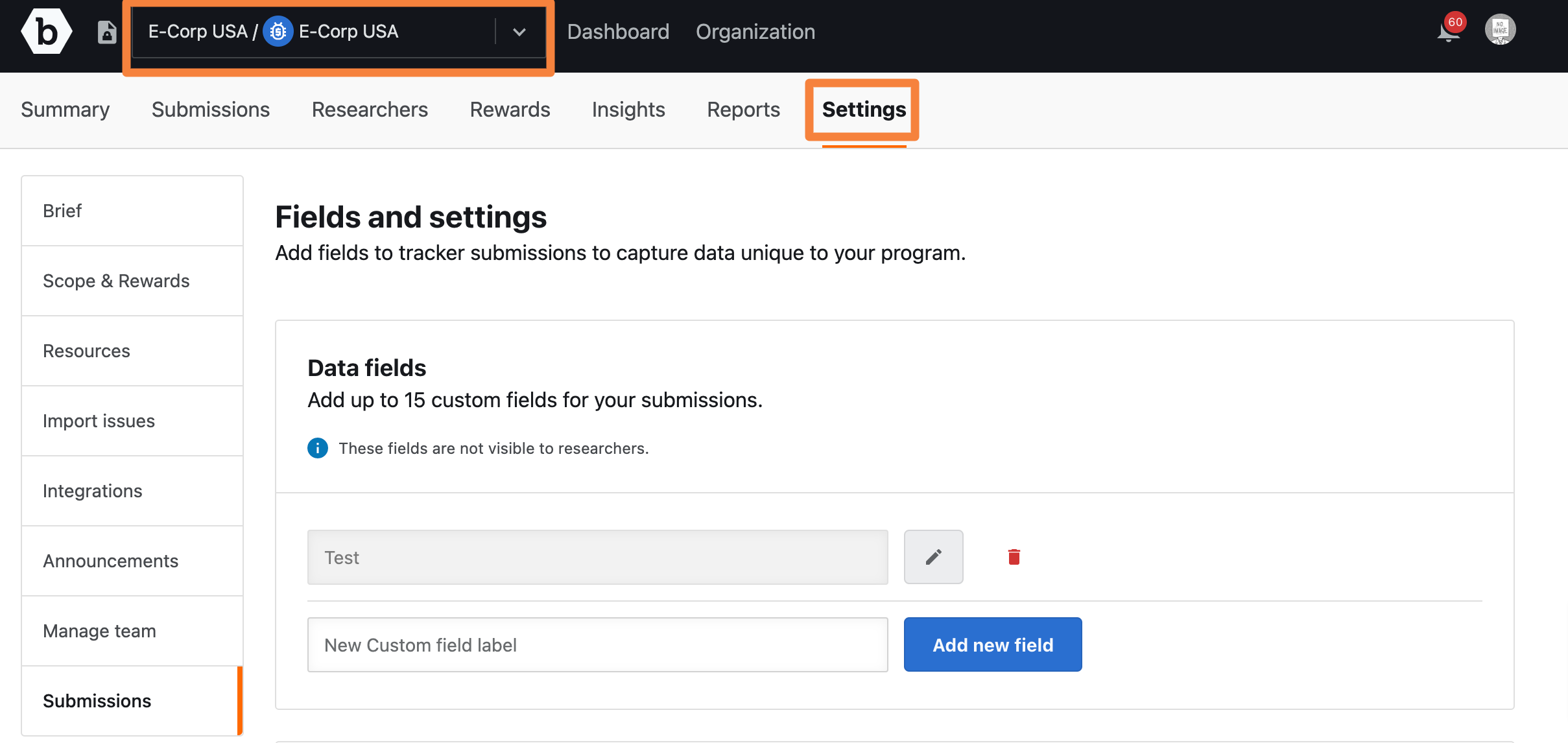
Select the required program and go to Settings.
-
Click the Submissions tab.
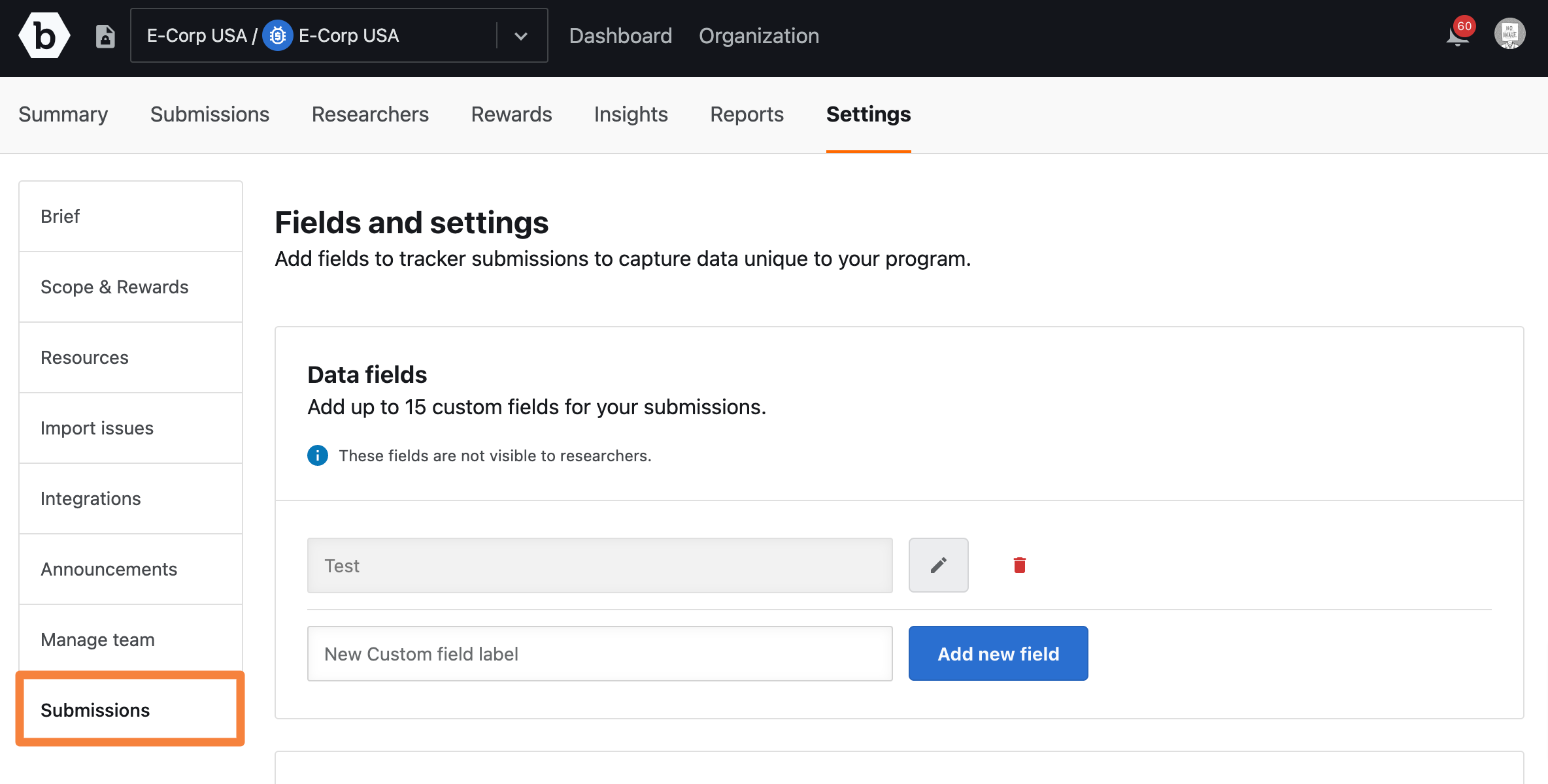
The Fields and settings page is displayed.
-
On the Fields and settings page scroll down to the CVSS section.
In the CVSS section, move the slider to right for the Common Vulnerability Scoring System Calculator option.
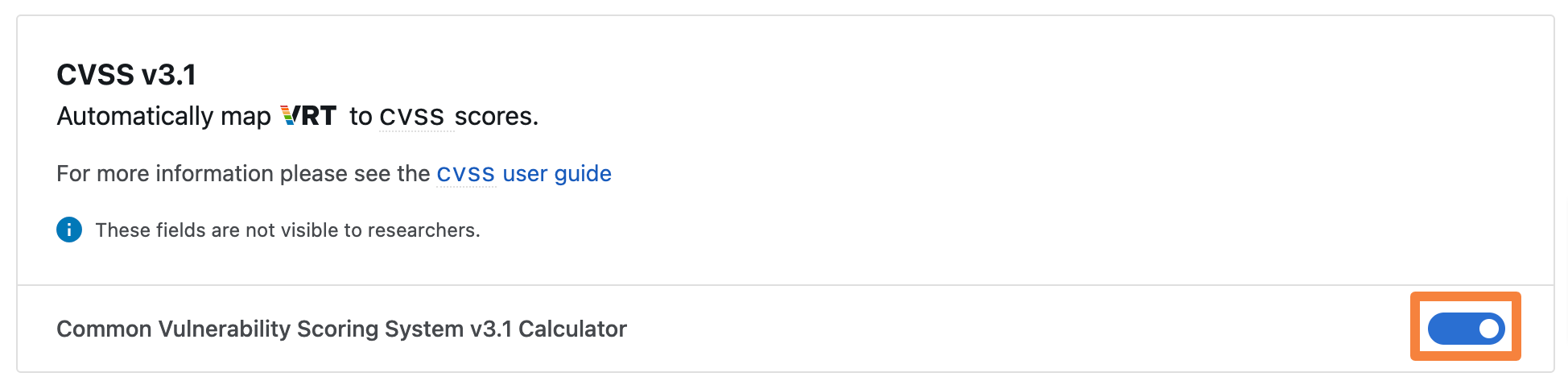
The “Enabled CVSS Calculation” message is displayed.
Select which version of the CVSS calculator you wish to use - 3.1 or 4.0.
Mapping CVSS to Bugcrowd’s Technical Severity
To map CVSS to submission’s technical severity:
-
In the CVSS section, move the slider for the Map CVSS to Bugcrowd’s technical severity option.
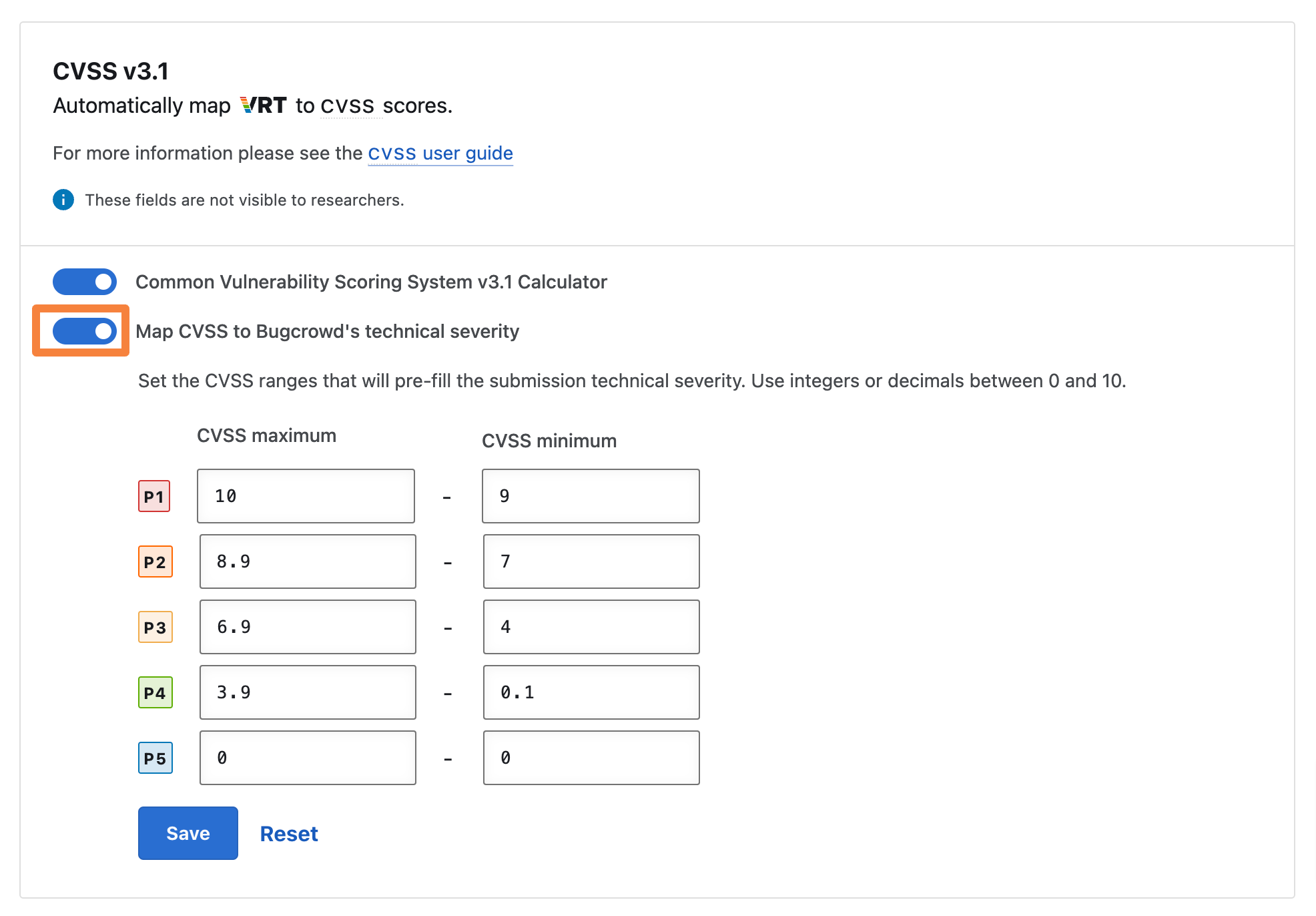
The “Enabled CVSS severity mapping” message is displayed.
You can set the CVSS ranges that will pre-fill the submission technical severity using integers or decimals between 0 and 10. If you do not customize the CVSS ranges, Bugcrowd’s default CVSS range values will be utilized for submission technical severity.
After you enable the calculator and map technical severity, you can go to any submission to add a CVSS score and update the severity.
Adding a CVSS Score and Severity
CVSS scores can be added to any submission using the calculator.
Note: The CVSS score is not visible to researchers.
To add a CVSS score to a submission:
-
Within a submission, go to CVSS Base Score section and click the Edit icon.

-
When the calculator appears, specify the values for each metric. Use the scroll bar to scroll down and specify different metrics. To learn more about the metrics, please see Common Vulnerability Scoring System Version 3.1 Calculator.
-
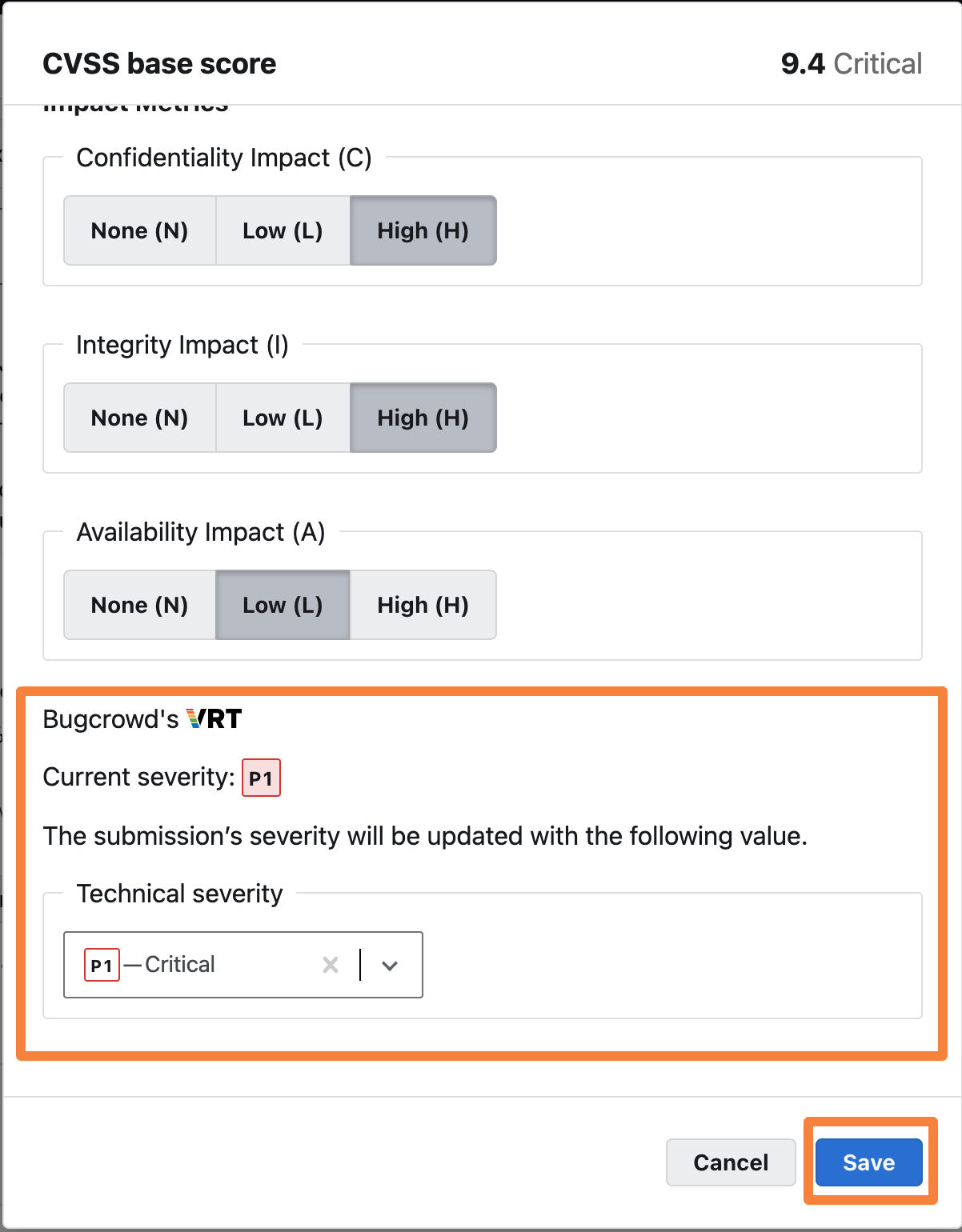
Scroll down to Bugcrowd’s VRT section. You can view the pre-filled severity and update it from the Technical severity drop-down.
-
Click Save to save your changes.
After you save your changes, the CVSS score is added to the submission along with the values you have assigned for each metric. The submission’s severity will be updated based on the severity you have selected.
Upgrading from CVSS 3.1 to 4.0
You can change the CVSS version your Security Program uses at any time, by switching the CVSS version slider.
Existing Submissions will not have their CVSS Base Score updated. Several metrics and values have changed between versions 3.1 and 4.0. As a result, an automatic conversion of submissions in bulk is not advisable. A manual review of existing submissions is required to ensure accuracy before updating the CVSS version.
Once you have changed CVSS version, all future CVSS scores you set will be of that version. This includes new scores, and updating existing scores.
If you want to update past CVSS scores on your Submissions, we recommend using our API. You will need to decide how CVSS 3.1 metrics map to CVSS 4.0.