Overview
What it is
The Bugcrowd Vulnerability Rating Taxonomy allows us to classify submissions and vulnerabilities by broad vulnerability class.
VRT Scope Rules allow you to specify particular exclusions or concerns that you, your triagers, or your researchers need to be aware of.
Providing VRT Scope Rules helps set expectations with researchers about expected outcomes. They can be used as a flexible mechanism to mark certain classes of item as out-of-scope, or to provide specific guidance and requirements where appropriate.
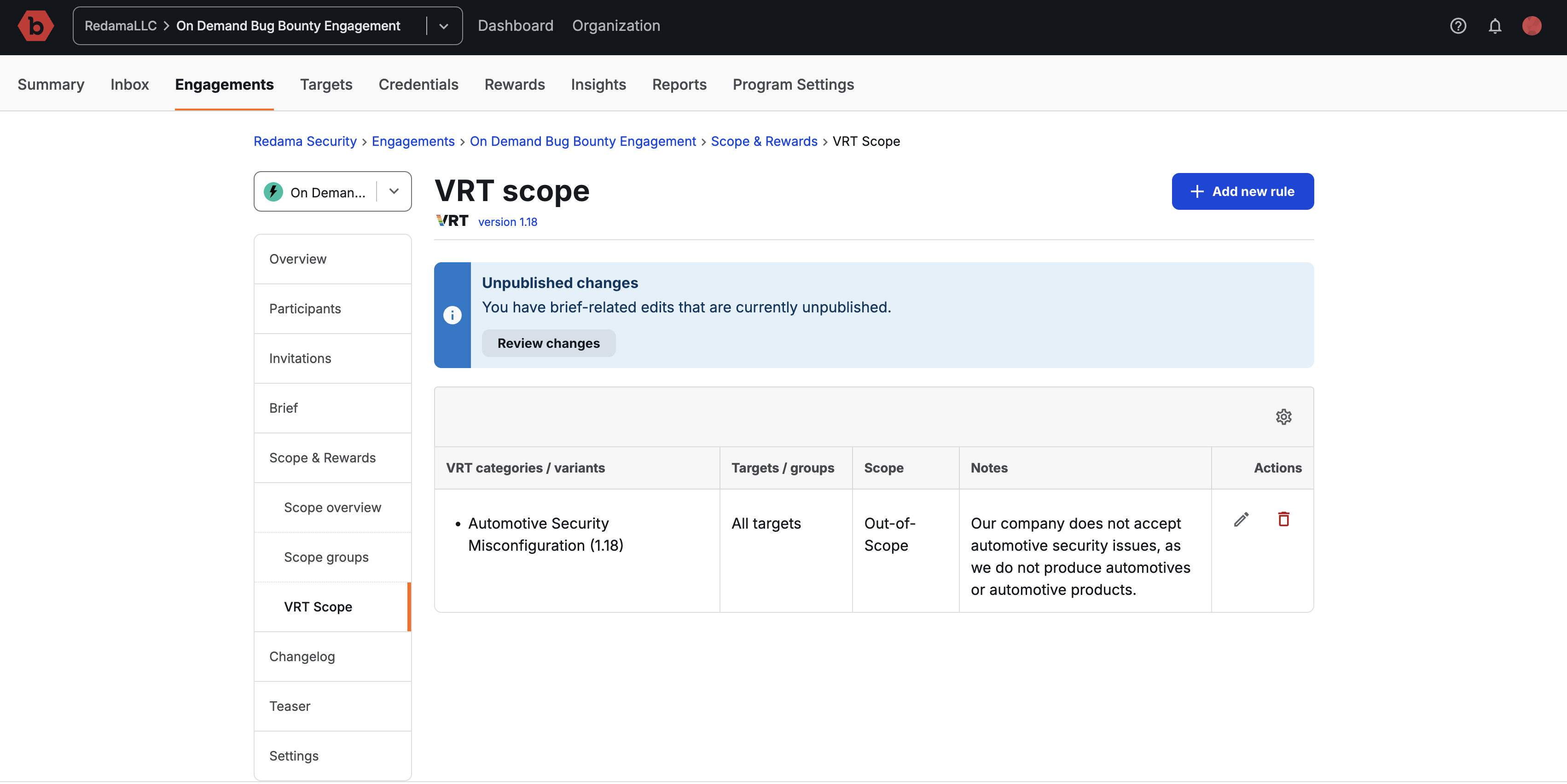
These will present to hackers on your engagement brief, once published:
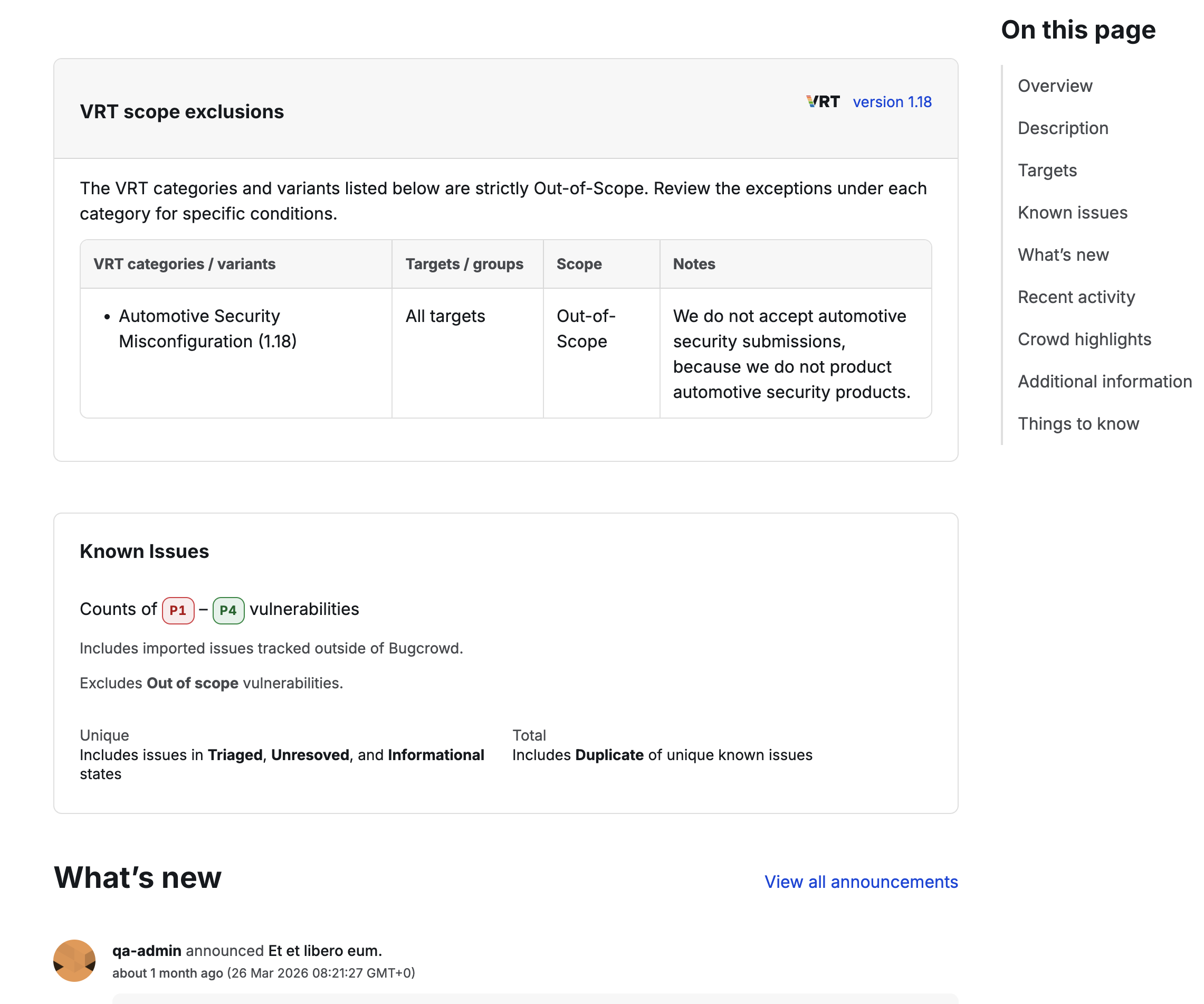
Notes will also show on the Submission page, if a hacker selects a matching VRT category, sub-category or item:
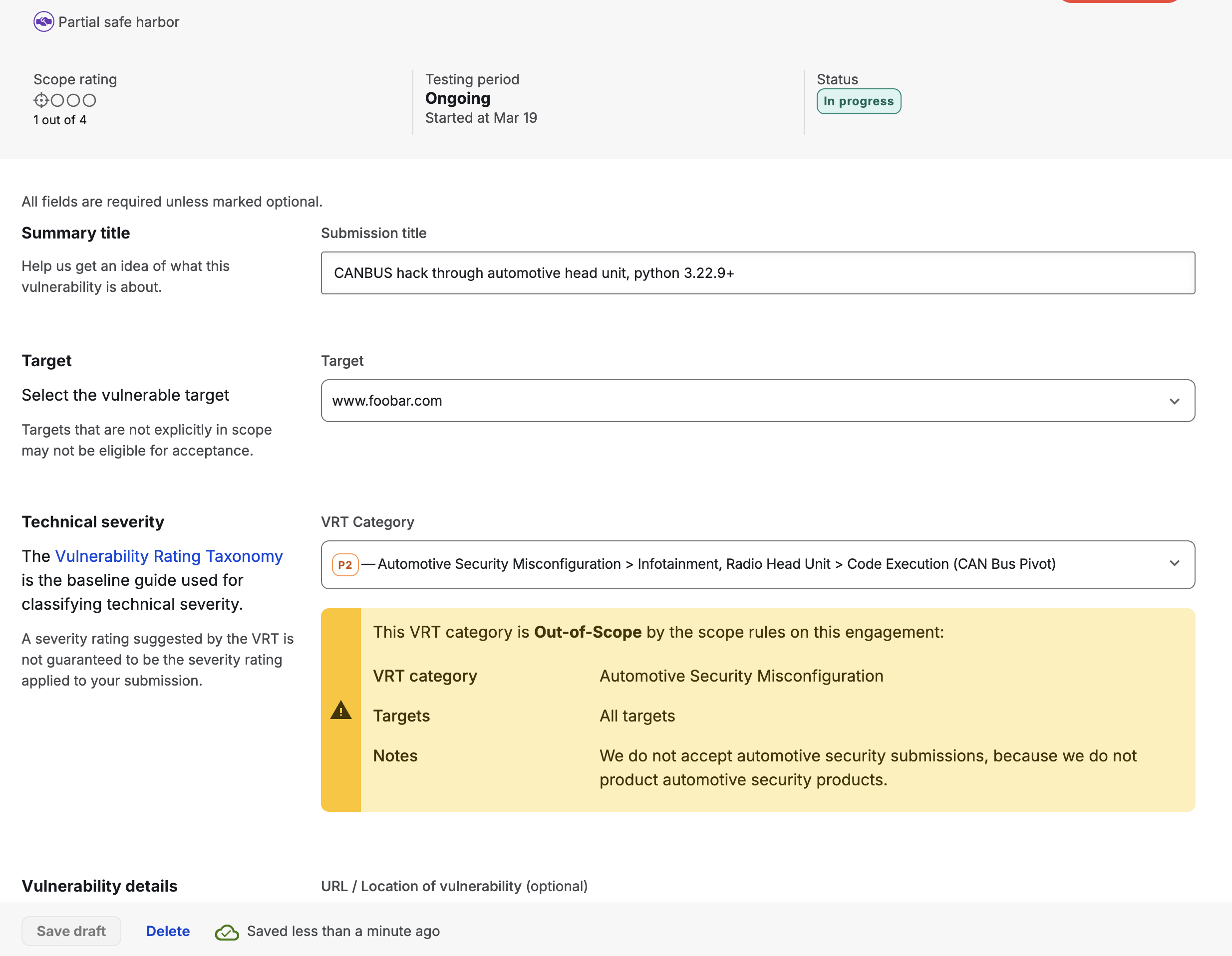
The same Note will appear in Security Inbox on the hacker’s Submission, and is visible to both your team and the Bugcrowd triage team:
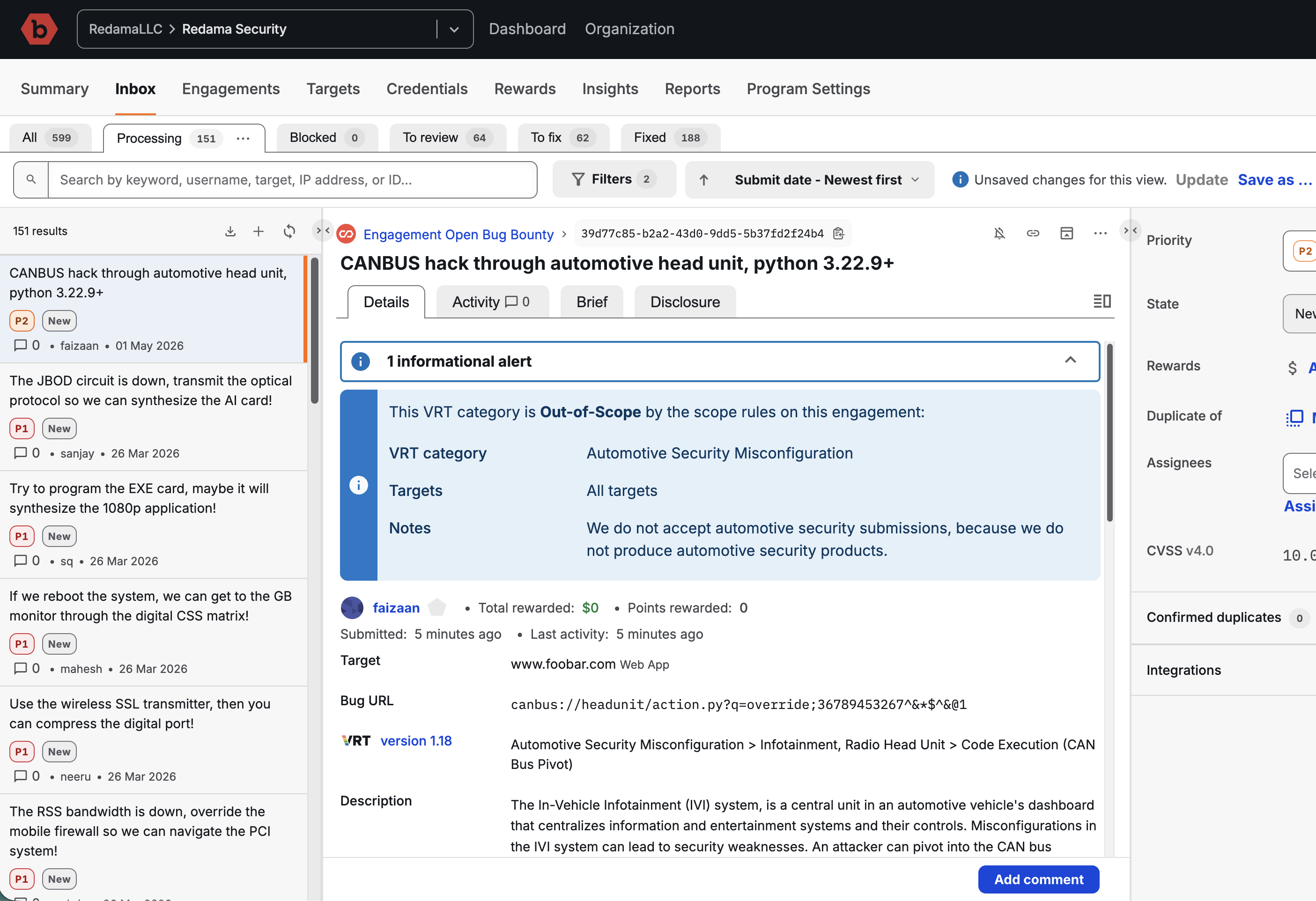
Managing VRT Scope Rules
In the Scope & Rewards tab, select VRT Scope
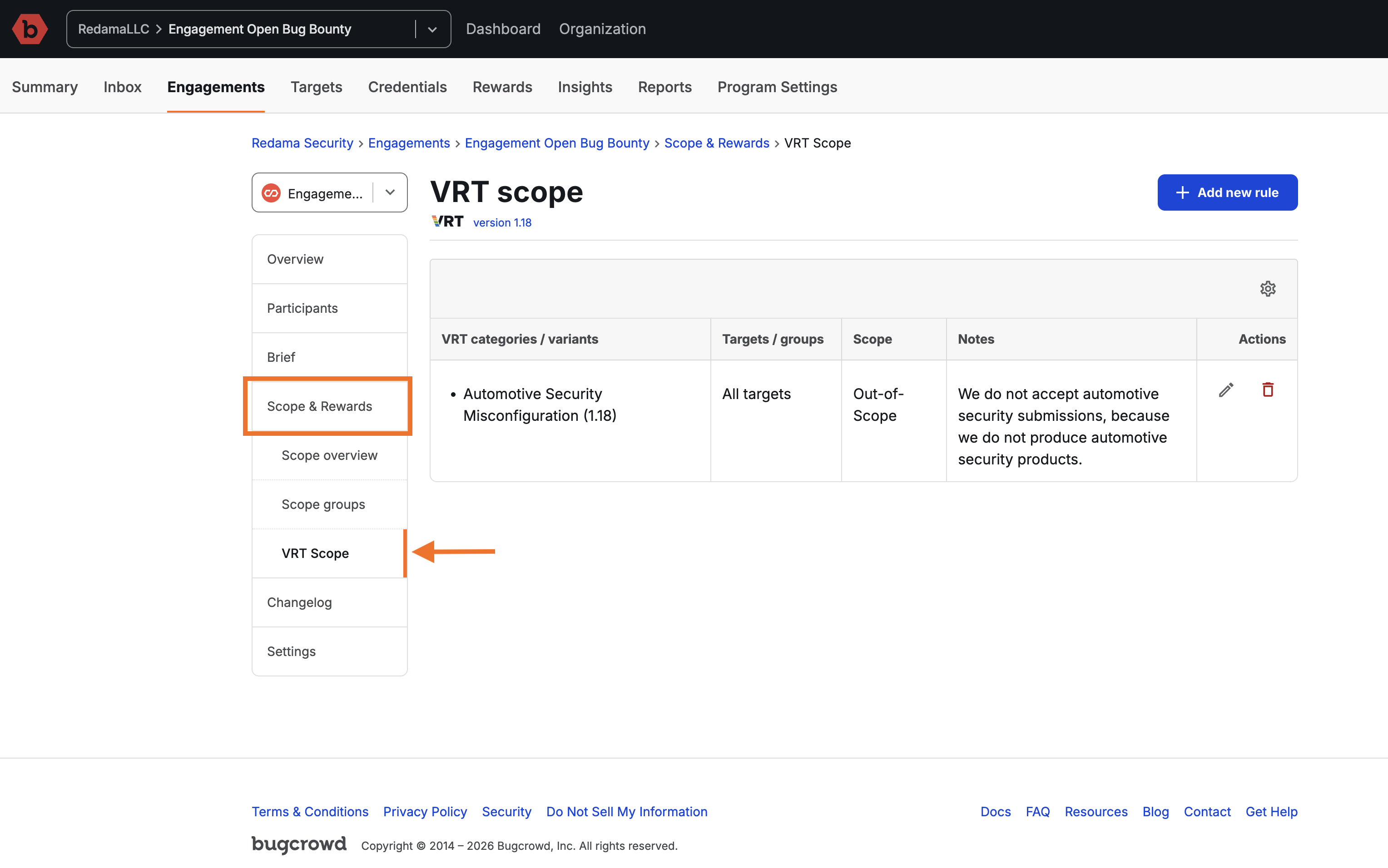
Adding a new rule
To add a new VRT Scope Rule:
-
Click Add new rule
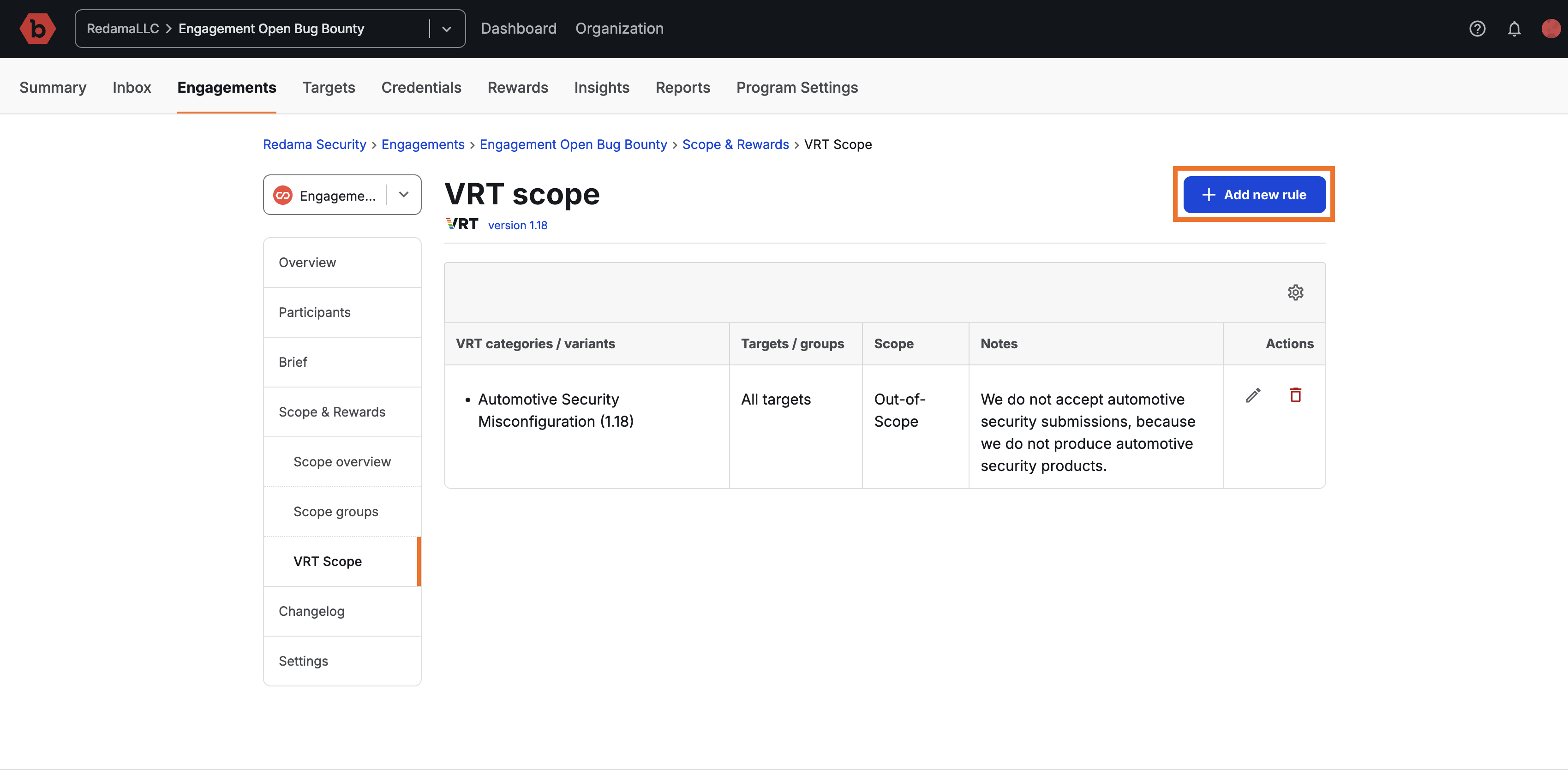
-
Select one or more VRT categories, sub-categories, or items the rule will apply to. Use the chevrons to open a category or sub-category to reveal items within. Click an item to add it.
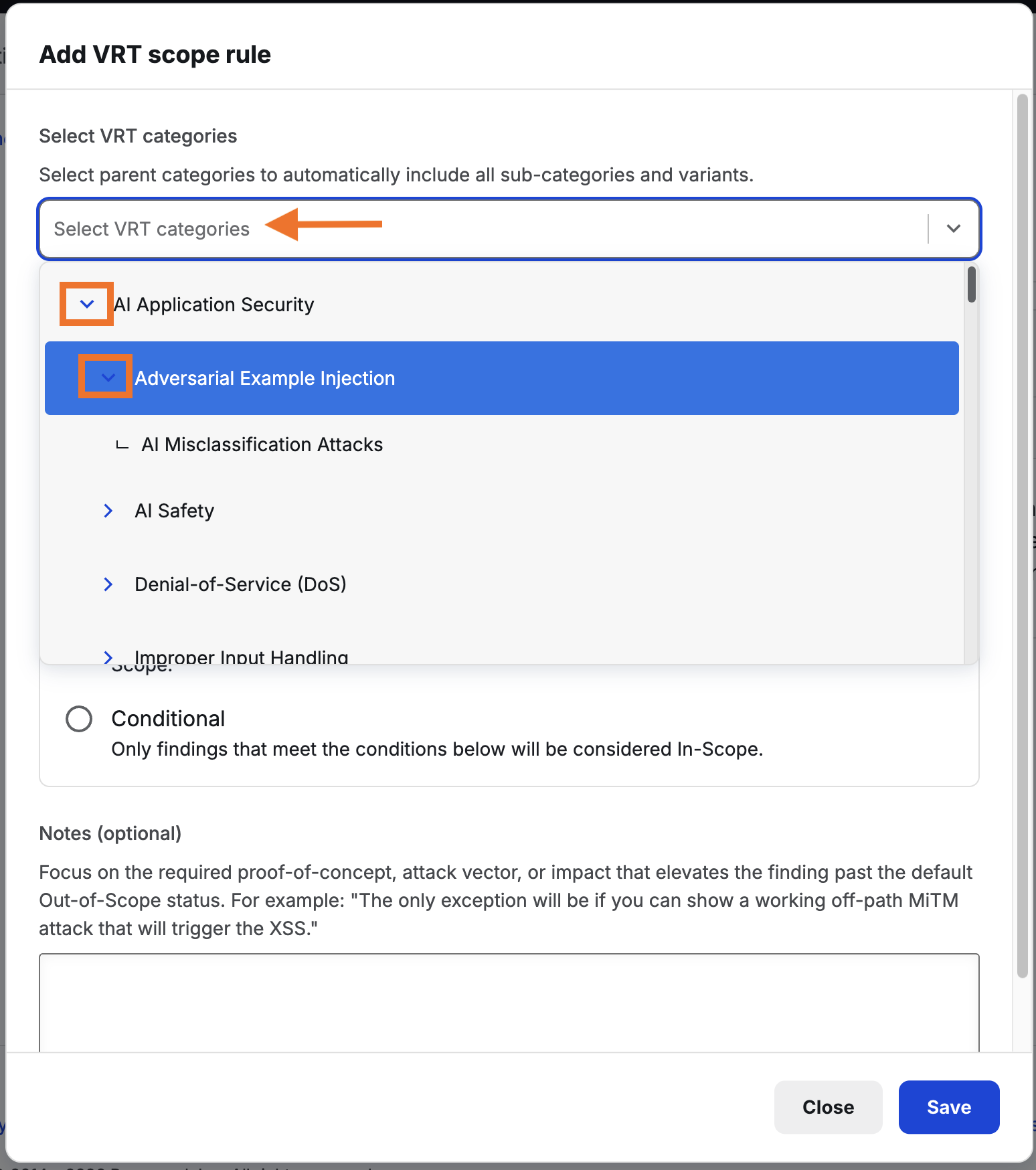
-
When done selecting items, click out of the drop-select to continue.
-
Select which targets this rule will apply to: “All” or “Selected targets and groups”
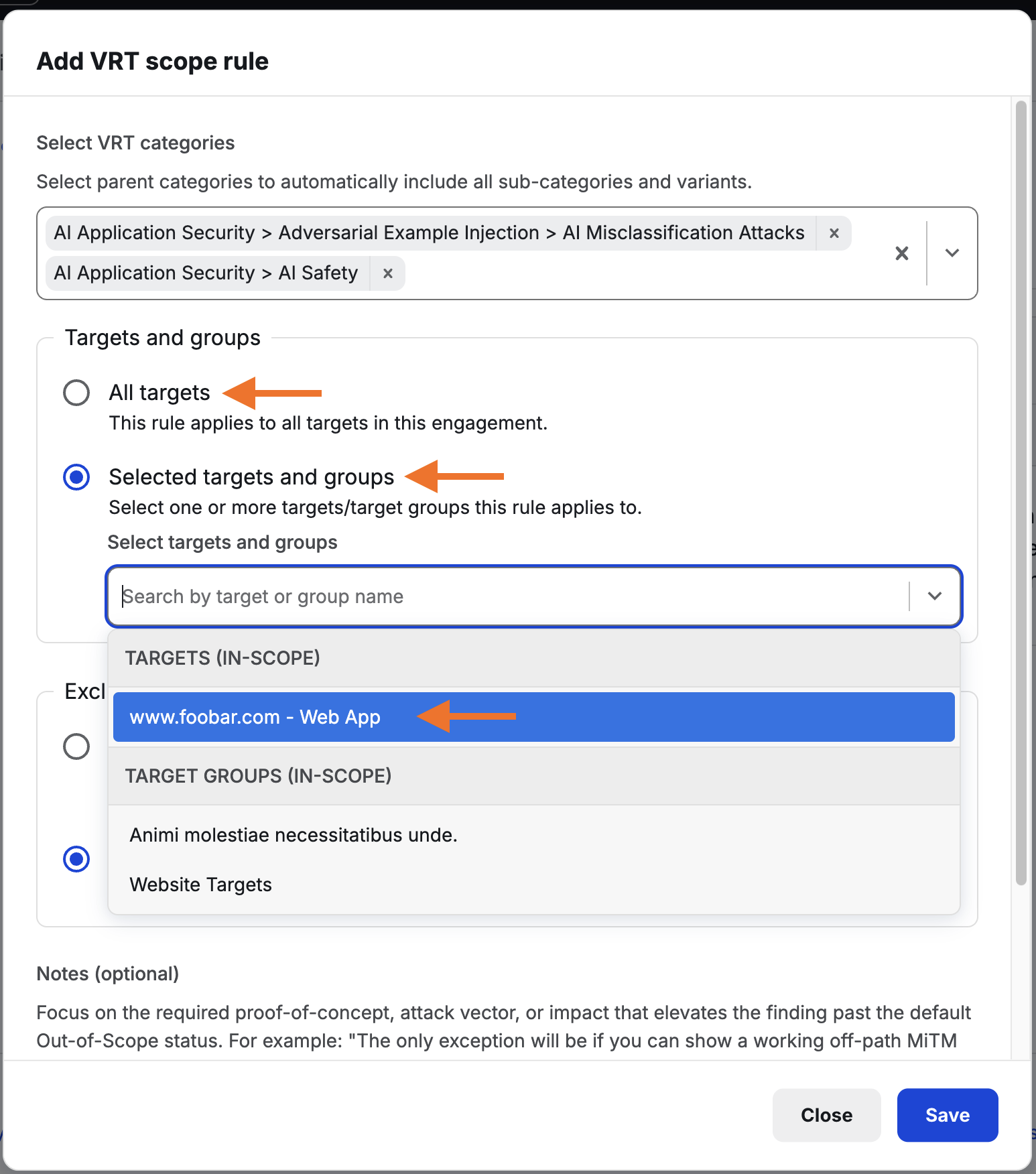
You can select a combination of specific targets or a target group. Selecting “All” will make this apply to all targets.
-
Optionally, Add notes to explain your rule to hackers, triagers, and your staff.
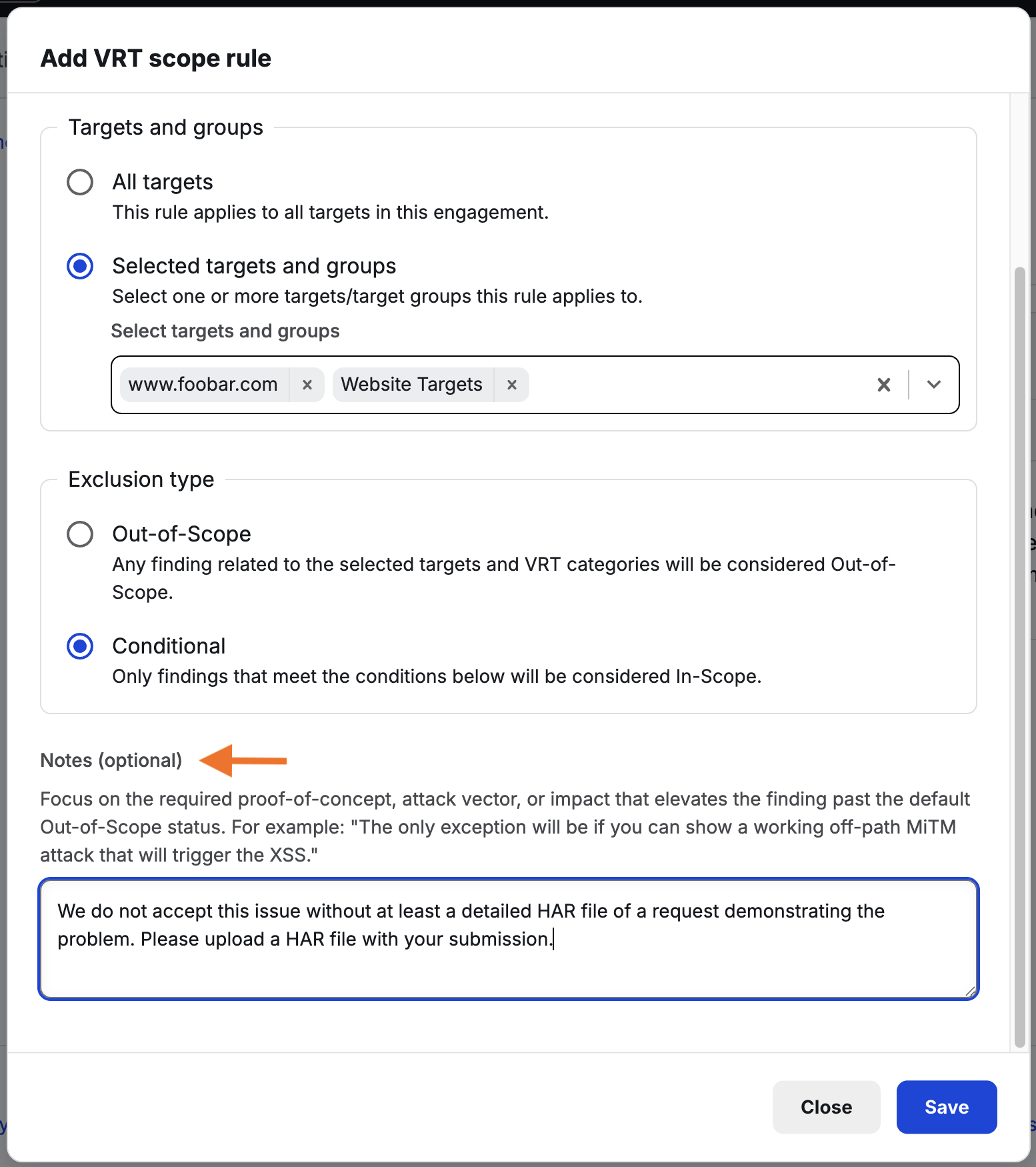
-
Click Save
Remember that you will need to publish your brief before your VRT Scope Rule becomes visible.
Editing a VRT Scope Rule
-
Click the edit icon (a pencil, depicted below) to edit a VRT Scope Rule
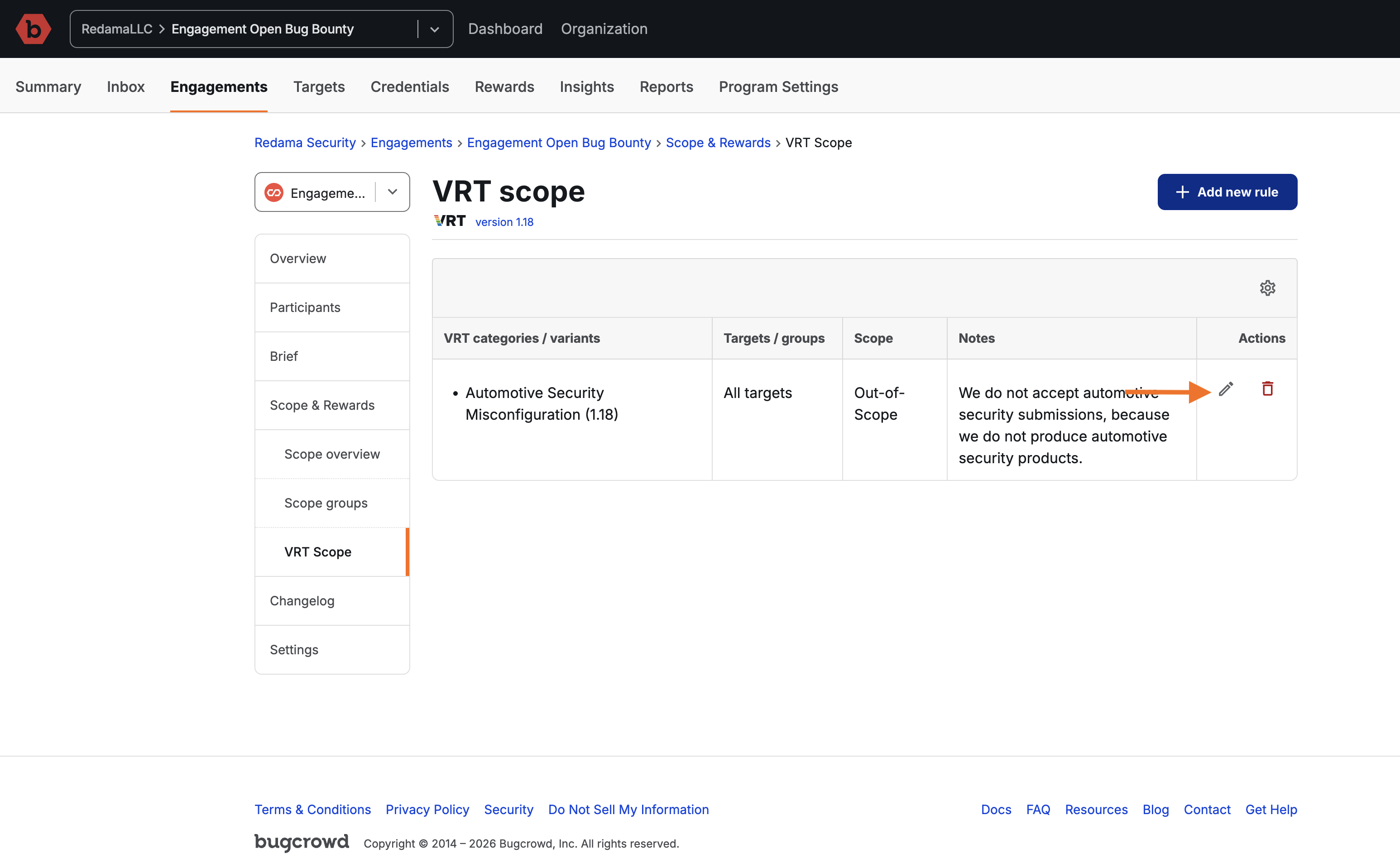
-
Follow the steps depicted above (under “Adding a new rule”) to edit your scope rule.
-
Click Save
You can change any of your scope rules’ details, but remember that you will need to publish your engagement brief for the updates to take effect.
What happens when the VRT gets updated
Bugcrowd periodically updates the Vulnerability Rating Taxonomy to include new types of vulnerabilities as new technologies emerge, to clarify outcomes and triage expectations, or to deprecate vulnerabilities as vulnerability classes become obsolete.
When we do so, we typically provide a mapping for each modified VRT category, sub-category or item to the new VRT. If we provided such a mapping, your VRT Scope Rules should continue to work without your intervention.
If a VRT category, sub-category or item was removed, your rule for it will still be visible on your engagement brief. It will not appear on the submission form or in the security inbox for new submissions (because hackers will not be able to select the VRT item that was removed).
We recommend reviewing your VRT Scope Rules any time the VRT is updated, or at least twice a year.