- Steps
- 1. Enable asset inventory and set your primary domain
- 2. Review automatically discovered assets
- 3. Manually add any primary domains or assets not yet discovered
- 4. Review and triage horizontal discovery results
- 5. Approve assets in your inventory
- 6. Organize into asset groups or add to security programs
Set a primary domain, let Bugcrowd Savant Vista discover your external attack surface, and approve the assets you want in scope. Takes approximately 15 minutes to configure; full discovery is ongoing after that.
Before you begin: Requires organization owner permissions. No other setup needed to begin.
Steps
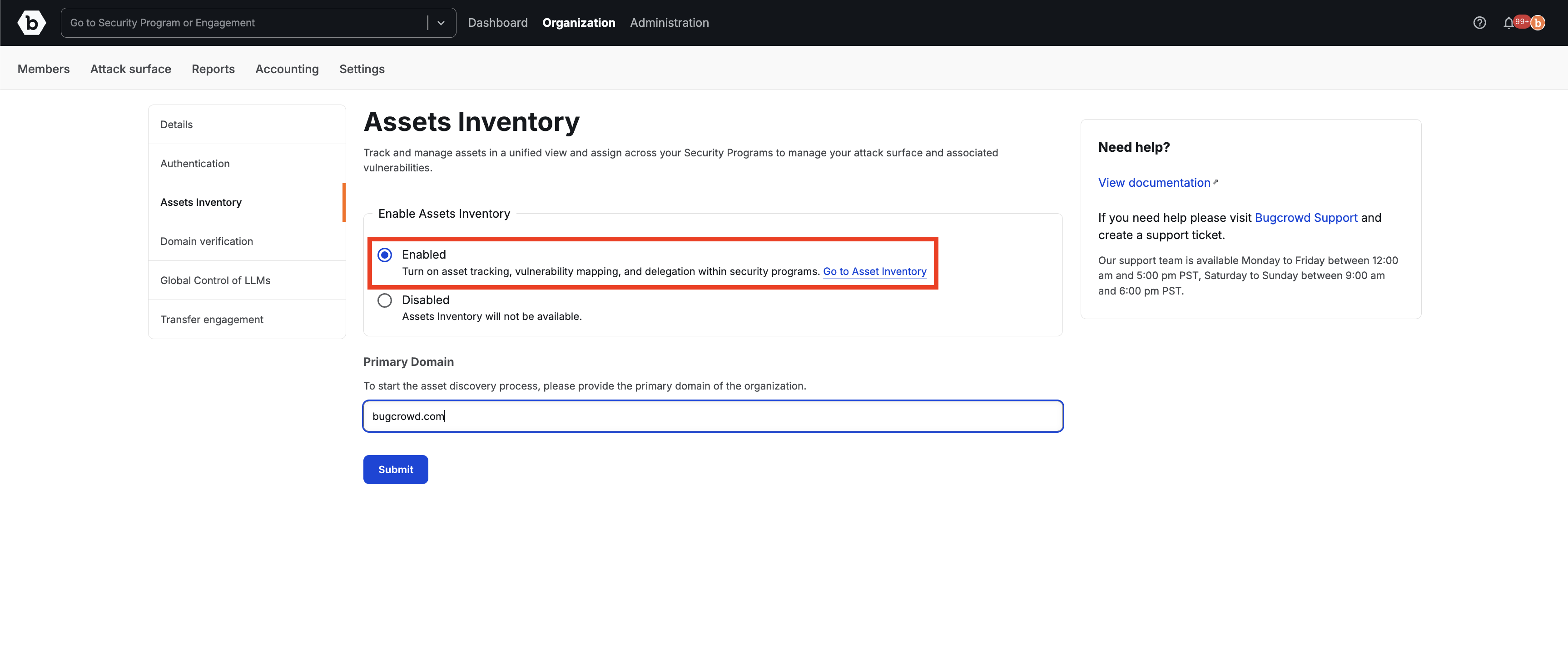
1. Enable asset inventory and set your primary domain
Go to Organization then Settings then Asset Inventory, select Enabled, enter your root domain (e.g., acme.com), and click Submit. This domain anchors all subsequent discovery – subdomains, IPs, and services will be attributed outward from it.
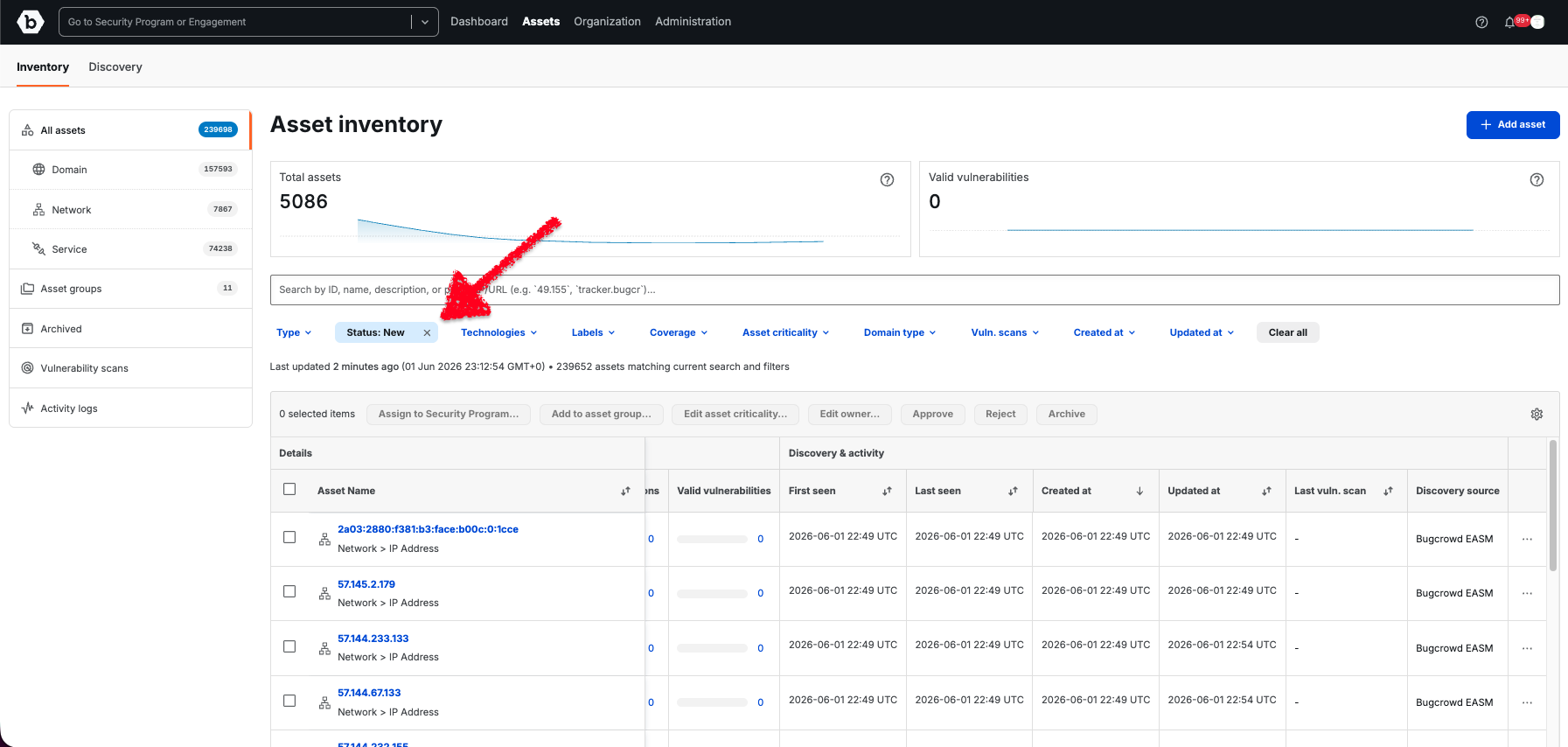
2. Review automatically discovered assets
Navigate to Assets then All assets. Savant Vista begins populating your inventory automatically. Review the Asset Name, Type (Zone = root domain, Record = subdomain), First Seen, and Discovery Source columns. Use the Status: New filter to focus on unreviewed items. You can add other primary domains after enablement. Now that you have primary domains established and discovered within the asset inventory, it automatically kicks off the horizontal discovery (reviewed in Step 5) based on primary domains.
Tip: Since you are adding only one primary domain when you enable Asset Inventory, you can also add additional primary domains at this step by going to a given Zone type asset row and clicking … then Mark as Primary.
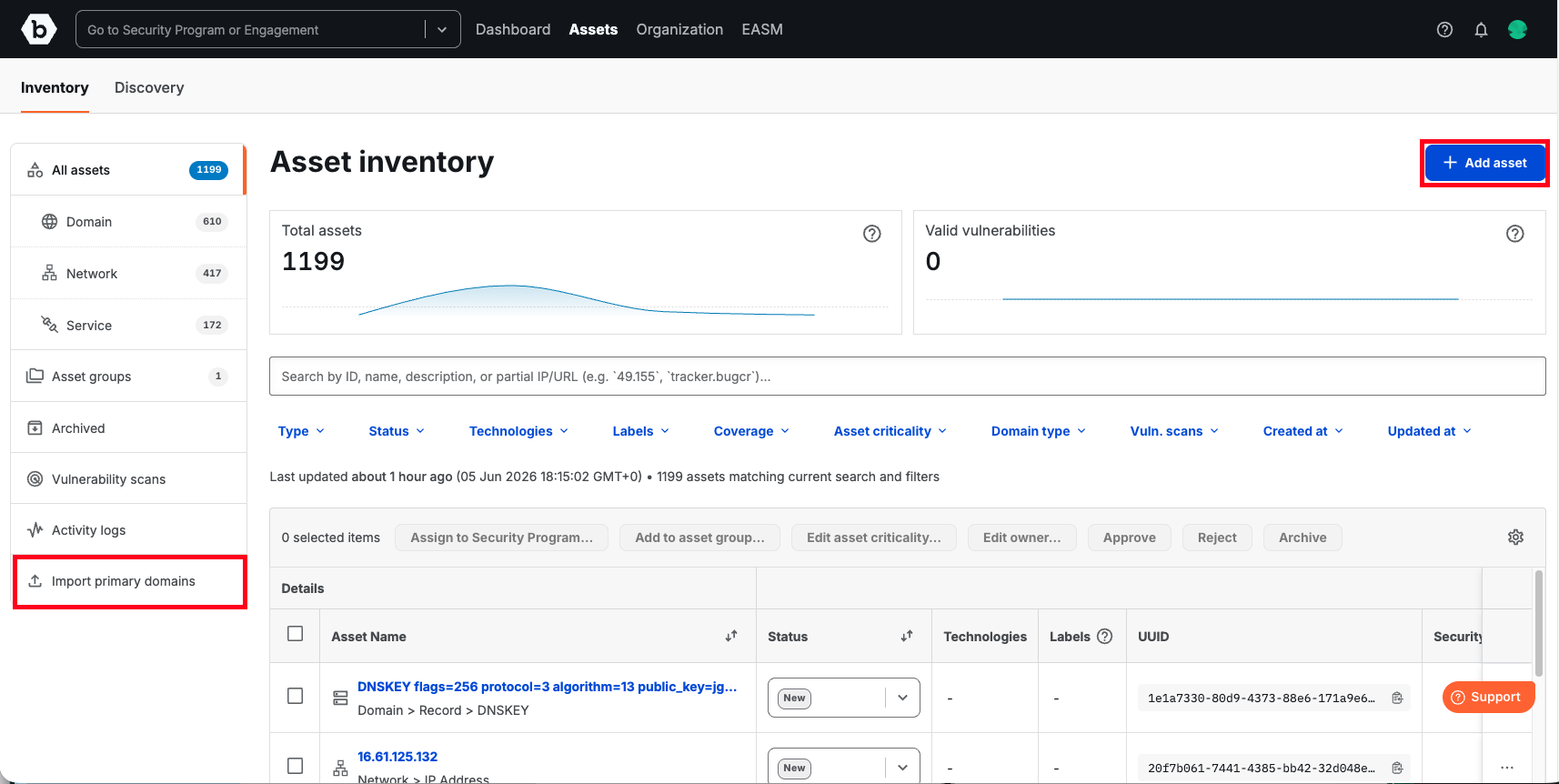
3. Manually add any primary domains or assets not yet discovered
Click + Add asset. Enter a Name and select a Type. Complete the Security Posture fields (Business Criticality, Environment, Sensitivity, Exposure Status) – these are required for Asset Criticality to be generated and queue for vulnerability scanning. Click Submit.
Tip: Manually added assets are treated identically to discovered assets and can be assigned to programs immediately on creation.
4. Review and triage horizontal discovery results
Bugcrowd’s horizontal discovery starts from your primary domain and, on an ongoing basis, identifies subdomains, IPs, externally reachable services, and lookalike or third-party domains that share signals with your assets (favicon, WHOIS, screenshot, domain string). Each discovered asset is visited and captured – screenshot, HTML source, and network request list – and scored by risk.
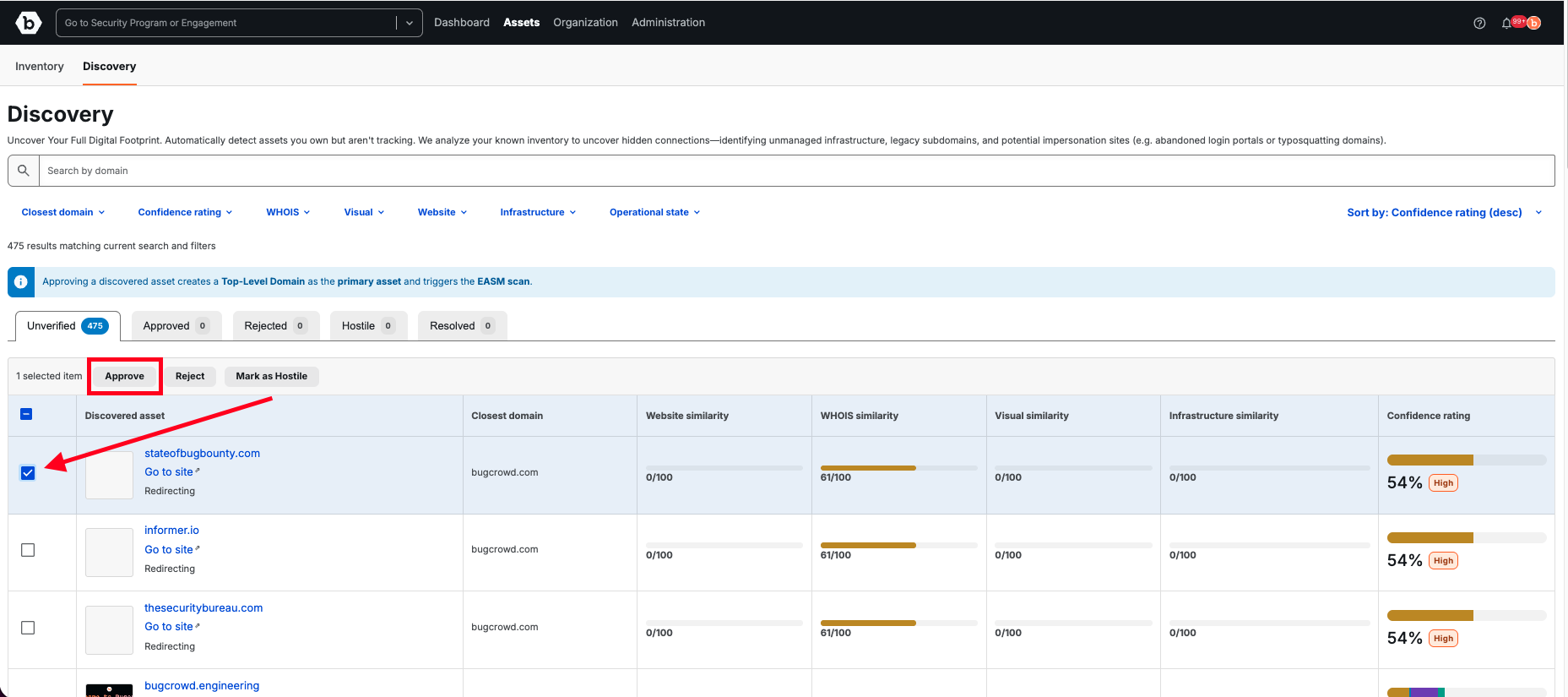
Navigate to Assets then Discovery and Unverified tab to see what needs review. Each row shows a preview screenshot, domain name and type, risk score, and first seen date. Open any asset’s detail view to inspect the full evidence: screenshot, HTML, WHOIS, favicon, and the signals driving its score. Classify each asset using the status dropdown:
- Approved – owned asset; moves into your managed inventory and becomes eligible for vulnerability scanning and security program assignment.
- Rejected – not owned; excluded from inventory.
- Hostile – confirmed malicious or infringing (e.g., typosquatting domain, subdomain takeover). Marking an asset Hostile automatically rescores related assets.
- Unverified – discovered but not yet reviewed.
5. Approve assets in your inventory
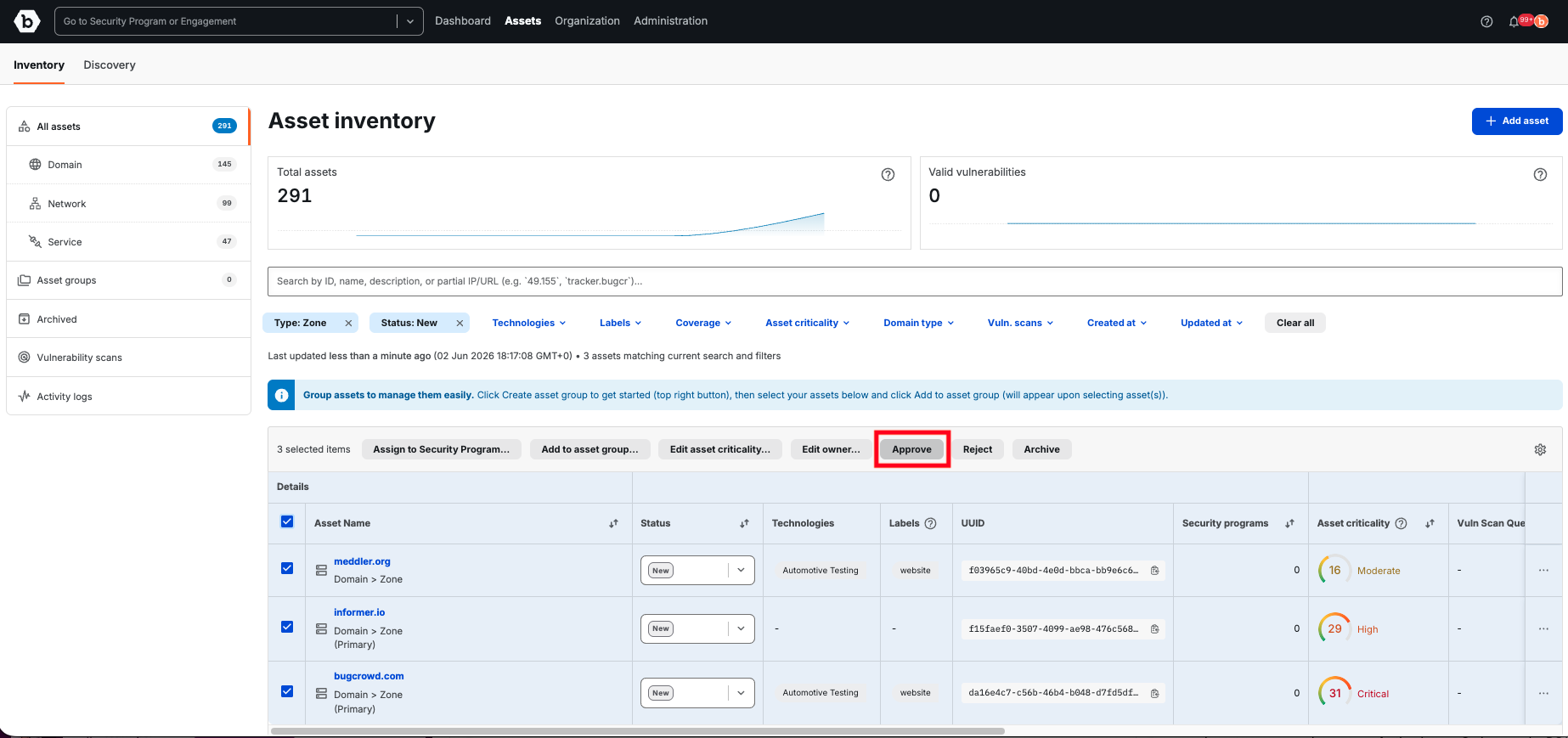
Select one or more assets using the checkboxes, then click Approve in the bulk-actions header. Approved status confirms ownership and is required before any asset can be scanned or tested. Use filters like Type: Zone and Status: New together to process in batches.
6. Organize into asset groups or add to security programs
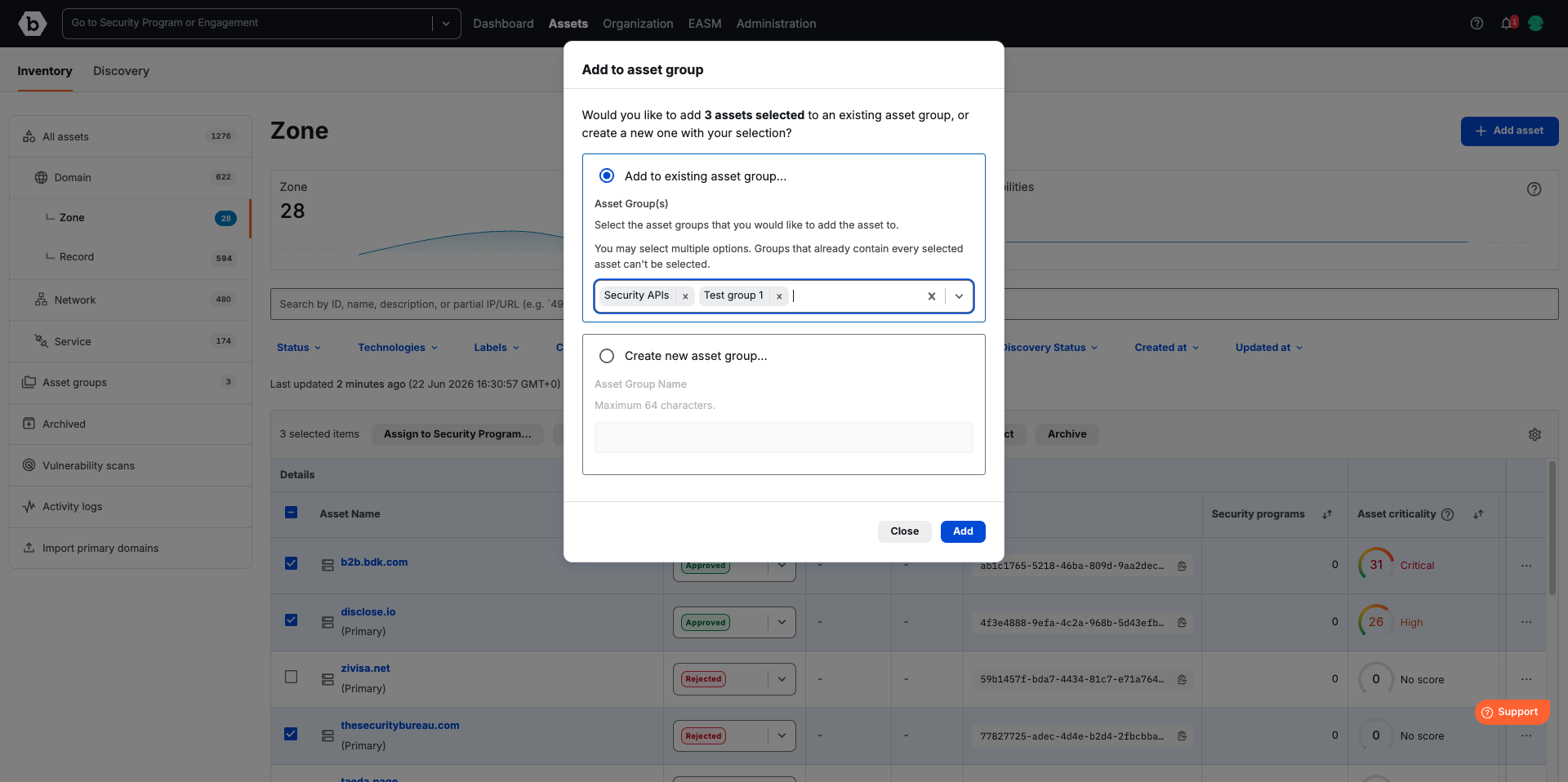
Multi-select assets, click Group assets, search for an existing group or create a new one by naming it (e.g., Payments APIs, US-West Production), then click Add. Groups enable bulk assignment to security programs and are the recommended targeting unit for offensive testing. Similarly, you can add assets to Security Programs as Targets by selecting assets and using Assign to Security Program.
Your external attack surface is now visible, owned, and organized. Assets flow into vulnerability scanning and program targeting from here.