Pending Requests
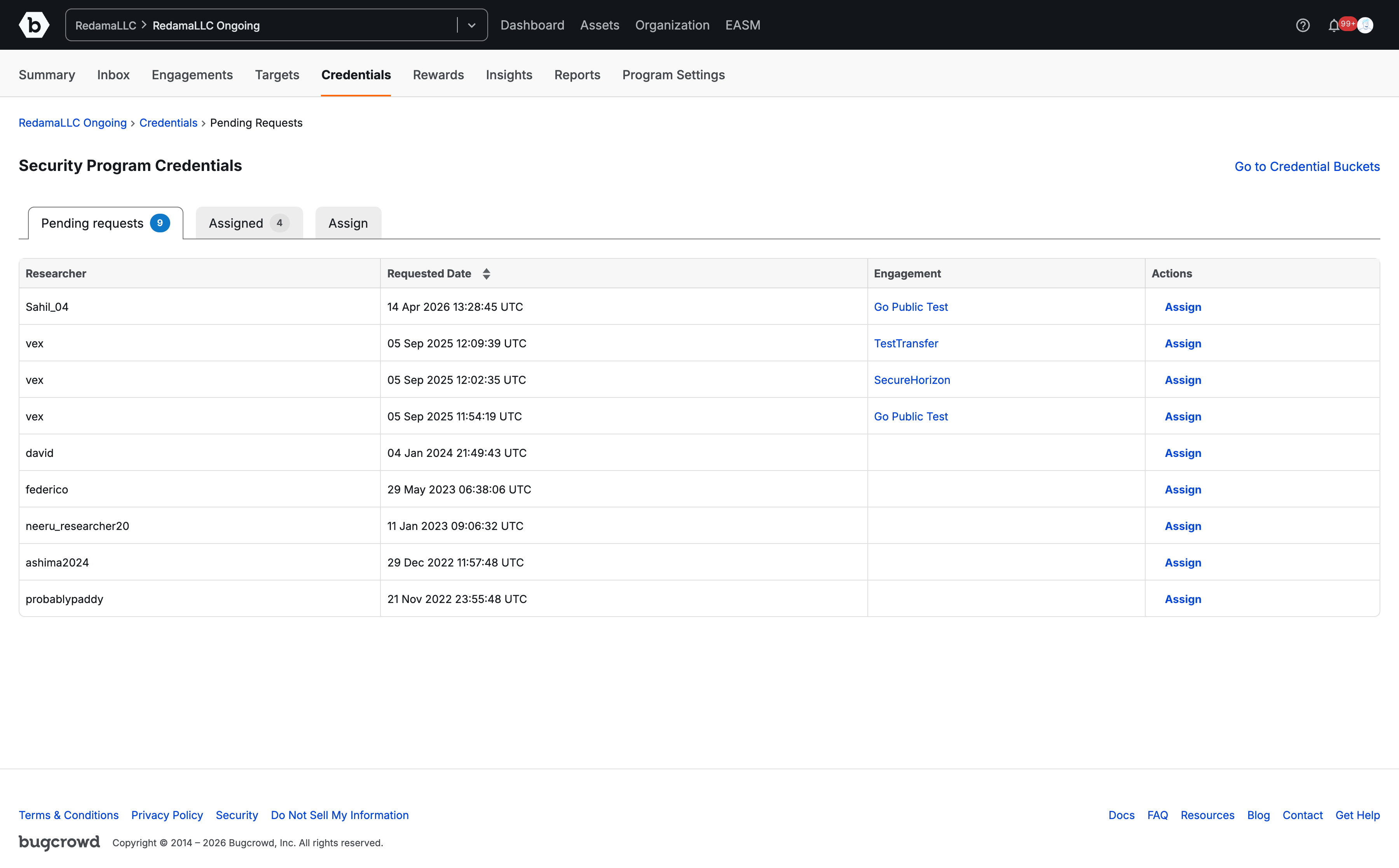
The Pending requests tab displays a list of researchers who have requested credentials for your Security Program’s engagements.
To accept a request:
- Click the Pending requests tab to view all active requests.
- Locate the researcher and engagement for which credentials are required.
- Click Assign in the Actions column next to the corresponding request.
- On the manual assignment page, select credentials from the relevant credential bucket(s) linked to the requested engagement.
- Search or select the specific credential set, then click Add to complete the assignment.
Viewing Assigned Credentials
The Assigned tab provides an overview of all credentials currently allocated across your researchers.
In this view, you can:
- See a matrix breakdown of how many credentials from each bucket are currently assigned to each researcher.
- View total Engagement access links associated with each researcher.
- Click View under the Actions column to inspect details of assigned credentials.
- Click Assign to modify or allocate additional credentials to that researcher.
Direct Credential Assignment
The Assign tab provides a streamlined view to proactively assign credential buckets to eligible researchers.
Note: This view includes only researchers who are associated with engagements that are linked to specific credential buckets.
To assign credentials directly:
- Click the Assign tab.
- Locate the researcher in the table.
- Click Assign in the Actions column to select and allocate credentials from available buckets linked to their engagements.