- How the Criticality Score Works
- Field Score Breakdown
- Criticality Score Scale
- Viewing Criticality Scores
- Updating Criticality Score Inputs
The Asset Criticality Score provides a standardized way to measure the business importance of an asset within your Bugcrowd organization. It helps you prioritize assets for security testing, monitoring, and remediation.
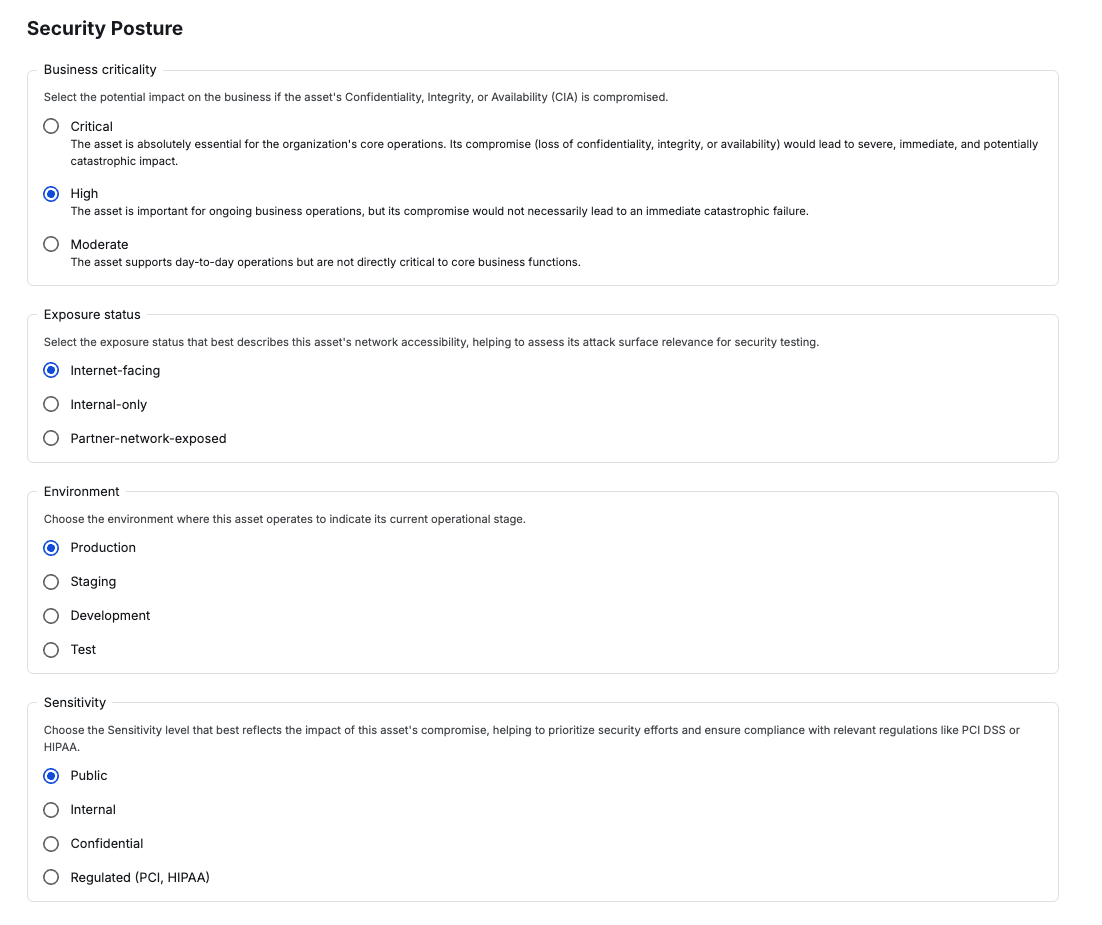
Criticality Scores are calculated automatically using a 0-40 scale, based on four key asset attributes: Business Criticality, Environment, Sensitivity, and Exposure Status.
How the Criticality Score Works
Each of the four attributes contributes a weighted score. The sum of these values produces the final Asset Criticality Score:
Maximum possible score = 40
Field Score Breakdown
| Field | Value | Score (0-10) |
|---|---|---|
| Business Criticality | Critical | 10 |
| High | 5 | |
| Moderate | 2 | |
| Environment | Production | 10 |
| Staging | 5 | |
| Development / QA | 2 | |
| Sensitivity | Regulated (PII, PCI, HIPAA) | 10 |
| Confidential | 7 | |
| Internal | 4 | |
| Public | 1 | |
| Exposure Status | Internet-facing | 10 |
| Partner-exposed | 6 | |
| Internal-only | 2 |
Criticality Score Scale
| Score Range | Risk Level |
|---|---|
| 0-10 | Low |
| 11-20 | Moderate |
| 21-30 | High |
| 31-40 | Critical |
Example
For an asset with the following values:
- Business Criticality = High (5)
- Environment = Production (10)
- Sensitivity = Confidential (7)
- Exposure Status = Internet-facing (10)
Score = 5 + 10 + 7 + 10 = 32 (Critical)
Viewing Criticality Scores
- Navigate to any asset view page.
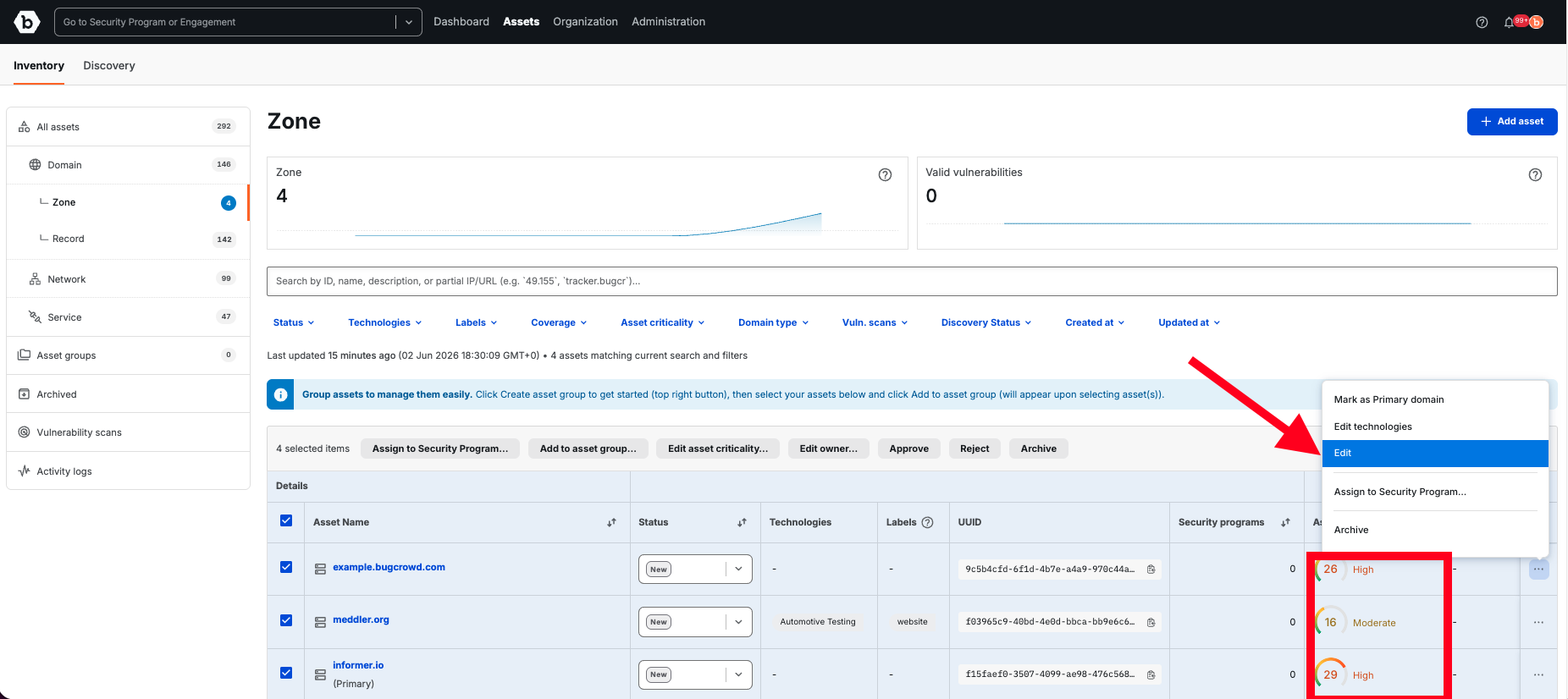
- The Security Posture column displays each asset’s Criticality Score, level (Low-Critical), and visual indicator.
- Use sorting and filtering options to quickly find assets by score range.
Updating Criticality Score Inputs
The Criticality Score automatically updates when you edit an asset’s Business Criticality, Environment, Sensitivity, or Exposure Status.
Steps:
- From any asset view page, locate the asset you want to update.
- Click the ellipsis menu (…) on the right side of the row.
- Select Edit (this opens the Edit Asset panel).
- Under Security Posture, update any of the following fields:
- Business Criticality (Critical, High, Moderate)
- Exposure Status (Internet-facing, Partner-exposed, Internal-only)
- Environment (Production, Staging, Development, Test)
- Sensitivity (Public, Internal, Confidential, Regulated)
- Save your changes.
- The Criticality Score will recalculate immediately based on the new values.
Security Posture Fields