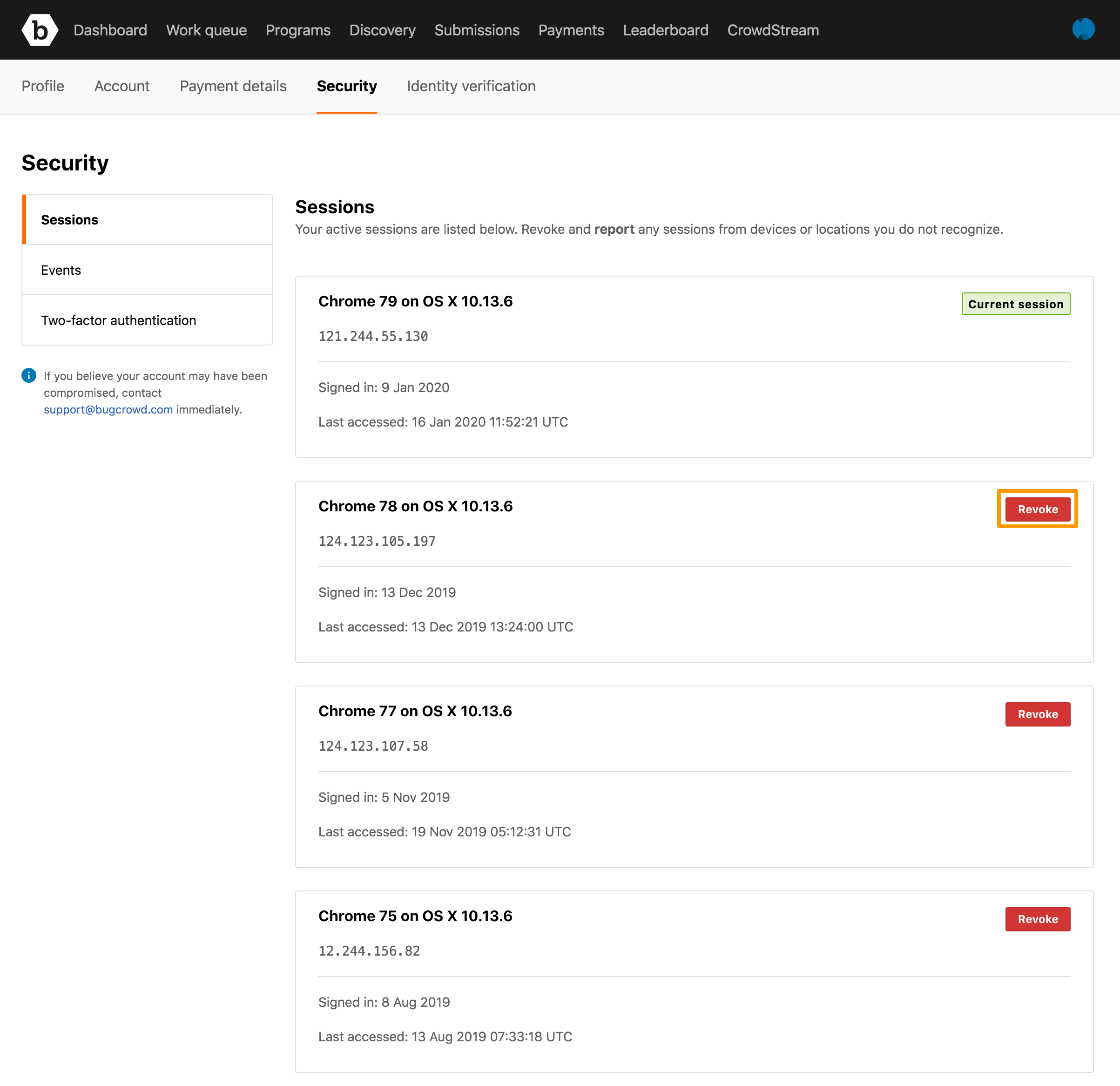
Each time you log in to Bugcrowd from a unique device, a new active session is created for your account.
Viewing Active Sessions
To view all active sessions for your account:
-
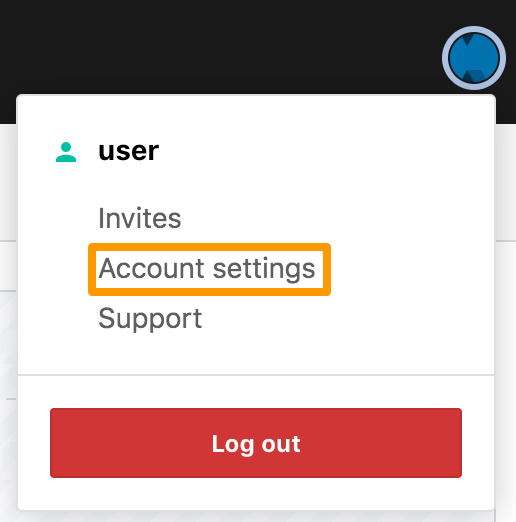
Click your profile picture and then click Account settings.
-
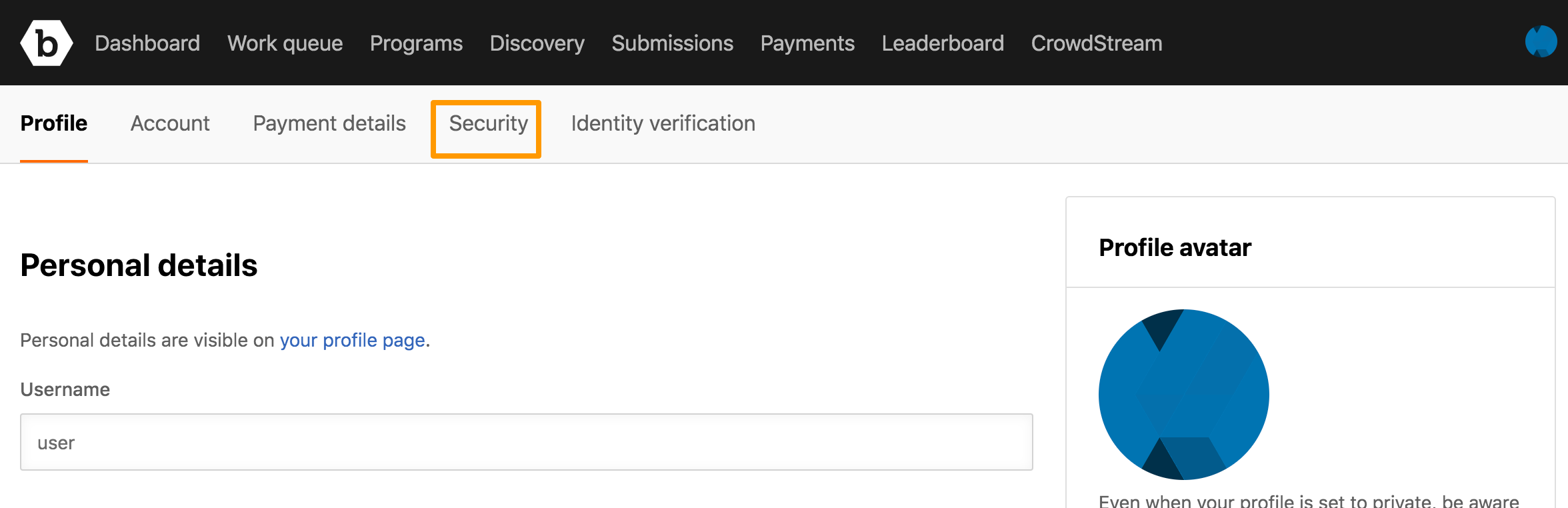
Click the Security tab.
-
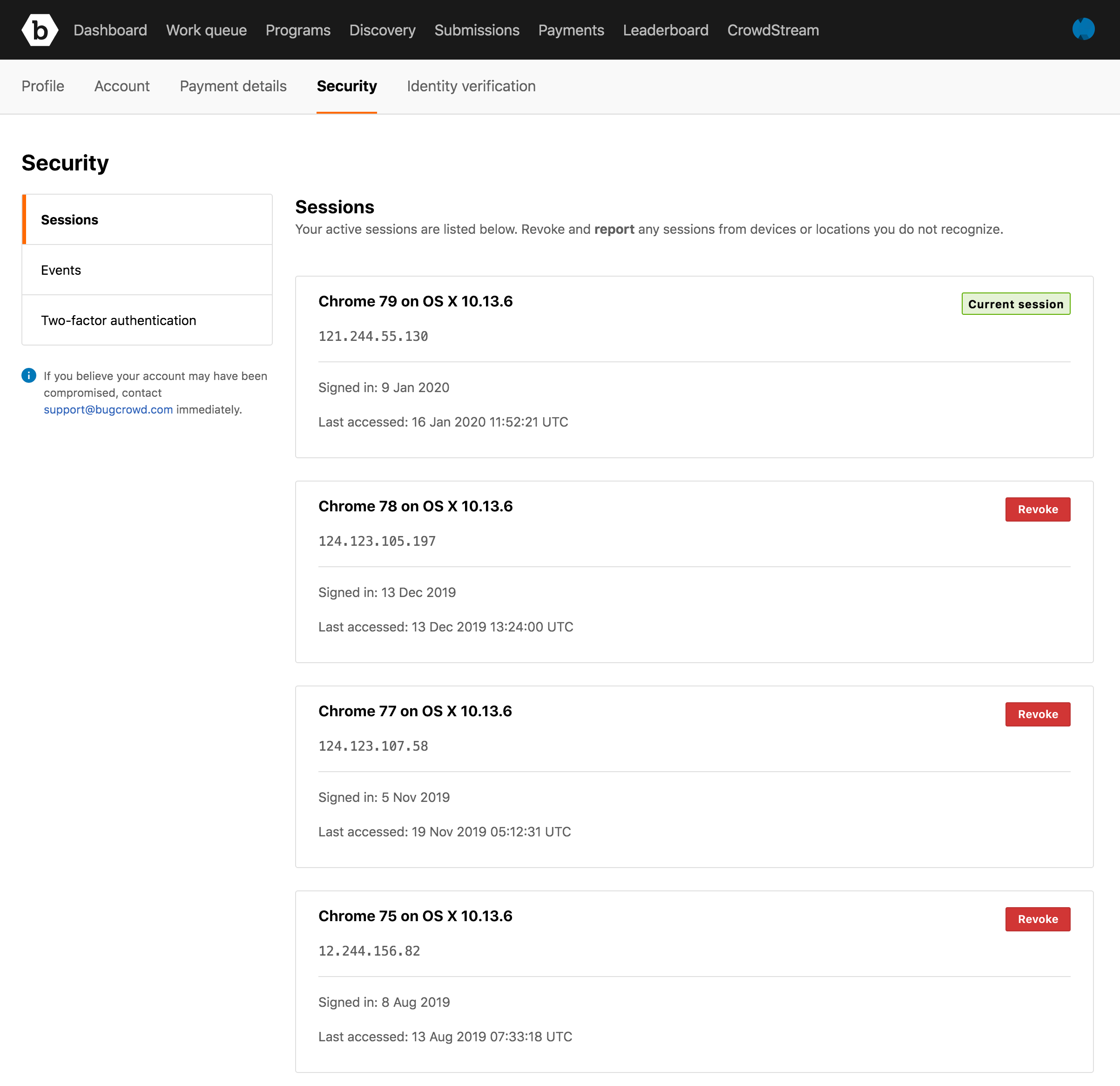
Click Sessions on the left side.
The Sessions page displays the list of active sessions.
Revoking Sessions
To revoke all sessions, on the Sessions page, click Revoke all. You will be logged out of all sessions except your current one.