- Overview & Access
- Key Dashboard Features
- Dashboard Filtering
- Providing Feedback
- Frequently Asked Questions (FAQ)
Organization Analytics provides pre-defined reports and interactive dashboards for Organization Owners to visualize and report on their security program data at a high level. This section of AI Analytics does not utilize Large Language Models (LLMs) and is always accessible for Organization Owners.
Overview & Access
The Organization Analytics dashboards offer interactive visualizations across all your security program data, providing quick reporting capabilities.
- Target Users: Organization Owners only.
- Data Scope: Available across all Organization Programs and Engagements.
How to Access the Feature
-
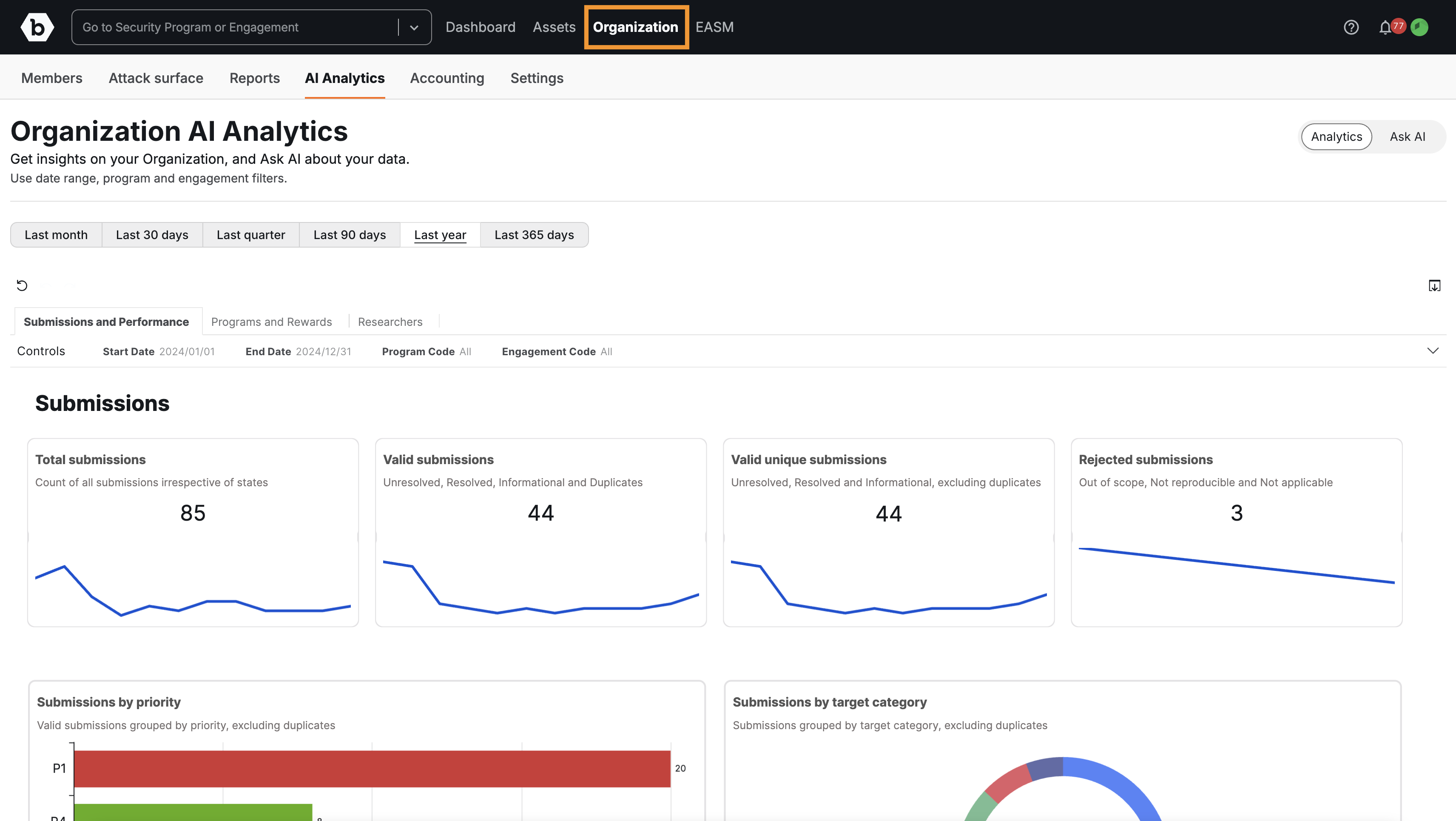
Click on Organization in the main navigation bar.
-
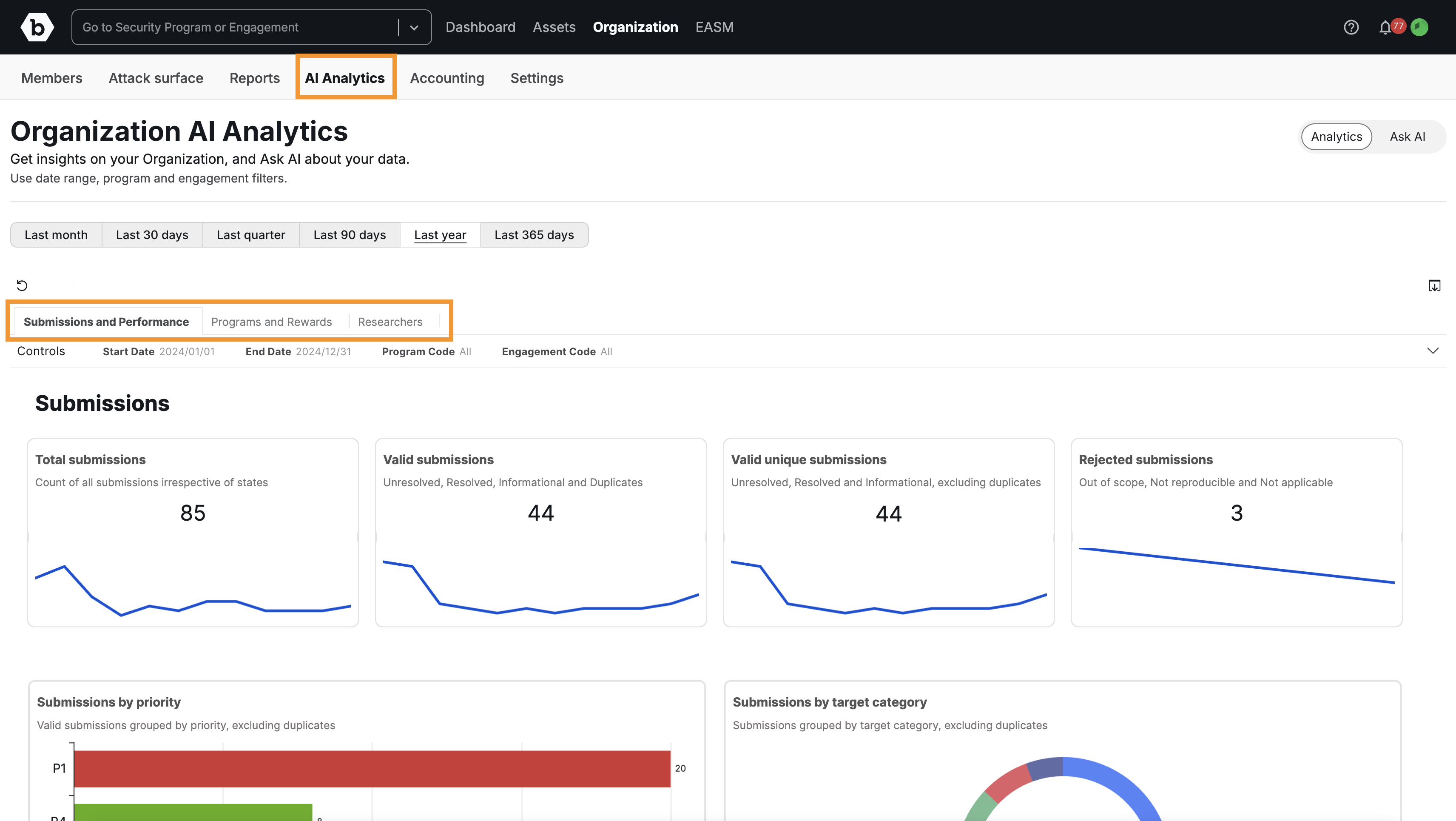
Click on the AI Analytics tab. Use the tabs to navigate between dashboards.
Tip: To ask natural language questions about your data, switch to the Ask AI feature. For more details, please visit AI Analytics.
Key Dashboard Features
The dashboards provide instant visibility into key metrics, such as Submissions, Performance, Rewards, and Researchers.
- View Tabs: All available dashboards are organized into labeled tabs (e.g., “Submissions and Performance,” “Programs and Rewards”).
- Interactivity: You can interact directly with the graphs and charts. Selecting a specific data point on one graph (for example, P1 submissions) will highlight the corresponding data across other graphs on that dashboard.
- Data Export: Download the raw data from any individual chart or graph into a CSV file.
- Report Export: Download the entire dashboard view into a PDF document.
- Ask AI Alternative: If the specific graph or chart you are looking for is not presented on the pre-defined dashboards, you can query for it using the Ask AI function (requires LLM control to be enabled).
Dashboard Filtering
Dashboards can be filtered to narrow your results across all displayed charts based on the following criteria:
- Date Range: Use pre-defined filters (e.g., “Last month,” “Last 365 days”) or define a specific custom date range.
- Program: Filter results by specific program names.
- Engagement: Filter results by specific engagement types.
Note:
Filters applied to the dashboards are not carried over when switching to the Ask AI natural language query feature. If you use Ask AI, you must explicitly specify the timeframe and filters within your question. For more details, please visit AI Analytics.
Providing Feedback
Please provide detailed feedback and suggestions directly to the CEM team (or your primary Bugcrowd contact).
Frequently Asked Questions (FAQ)
1. Is the data used to train LLMs models?
No. We operate under a Zero Training Policy. Our features that use LLMs utilize enterprise-grade configurations to generate the feature’s output (inference). This ensures that the data is NOT retained or used to train LLM models.
2. What is the Ask AI feature?
Ask AI is the LLM-powered component of AI Analytics that allows natural language querying. It is controlled by the Global Control of LLMs. For more information, see Global Control of LLMs.
3. Is my data secure?
Yes, the feature has been security assessed and approved by the Bugcrowd Cybersecurity team.